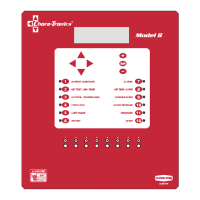
Introduction to the Control Load Cell Indicator
6
MT2316A
Using the Edit Buttons
The Edit Mode is entered by pressing the Edit Button. Pressing the Edit Button a second time exits the Edit
Mode.
1. Press BUTTON 3.
The Setup screen appears (Figure 6).
2. Press the EDIT button.
This activates the cursor which allows settings to be edited. Figure 7 shows what the cursor looks like. If
the Control asks you for an "Access Code", enter it at this time (See Page 44).
3. Press the (+) or (–) buttons to edit the House #.
The (+) key increases the value and the (–) key decreases the value.
4. Press the DOWN ARROW (Figure 8).
5. Press the (+) or (–) buttons to change from Fahrenheit to Celsius.
In this case the (+) and (–) buttons select different text choices.
6. If two or more editable settings are on the same line, the left and right arrow buttons are used to move
between those positions.
When a value or text is edited, it is saved in the memory within a few seconds. If you make a mistake, rechange
it to what you really want.
Figure 6. Setup Screen.
Control Number 1
Clock Type 12 HR
Time 11:01p
Figure 7. Setup Screen in Edit Mode.
CURSOR
Control Number 1
Clock Type 12 HR
Time 11:01p
Figure 8. Setup Screen in Edit Mode.
Control Number 1
Clock Type 12 HR
Time 11:01p



 To Next Page