Need help?
Do you have a question about the Chore-Time Chore-Tronics and is the answer not in the manual?
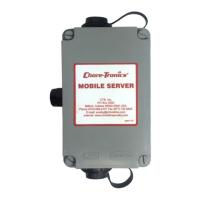
Warrants the new CHORE-TRONICS® Mobile Server to be free from defects in material or workmanship for one (1) year.
Disclaims other warranties and limits liability for damages, including consequential or special damages.
Lists circumstances that render the warranty void, including misuse, improper installation, and unauthorized modifications.
Explains the safety-alert symbol and defines signal words (DANGER, WARNING, CAUTION) for hazard severity.
Advises following safety instructions and describes the 'DANGER: Electrical Hazard' decal requirements.
Lists technical specifications including supply voltage (85-264 Vac 50-60hz) and port types.
Provides instructions for mounting the unit, emphasizing placement near power and adequate cable space.
Guides users through creating a new account, entering personal details, and verifying the mobile server's GUID.
Details accessing the web interface and adding CT3 controls by entering IP addresses.
Explains how to test the connection to the mobile app by logging in and checking the server status.
Provides steps to register the mobile server with a smartphone app, including required information and potential issues.
Covers adding CT3 controls via IP and navigating the mobile app interface, including logging out.
Diagram illustrating wiring connections for wireless radios, CT3, and other Chore-Tronics controls.
Diagram illustrating Ethernet Cat 5e-6 wiring connections for CT3 and other Chore-Tronics controls.
 General
| Brand | Chore-Time |
|---|---|
| Model | Chore-Tronics |
| Category | Measuring Instruments |
| Language | English |

 To Next Page