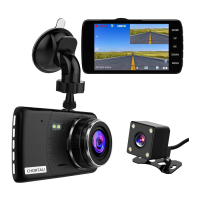
Basic Key Function & Shortcut key:
NO.
1
2
3
4
5
6
7
Name
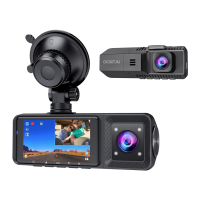
Front camera lens
Speaker
Inside camera lens
IR LED lights
LCD display screen
Power button
Up button
Description
Front facing camera for video recording
road view
Record sound & delivery sound during
video playback
Rear facing camera for in-car video
recording
4 IR LED lights enhance night vision
in the car
1.5 inch color LCD display screen
Power On/Off
When you are driving, short click power
button, to turn off screen, get into screen
-saver mode(camera is still keep recording),
short click power button again to turn on
screen.Long press power button, to turn
on /off camera.
Move select up
Short click up button to switch screen
display mode, there are 4 display mode,
picture in picture /half front and half inside
/only front /only inside.Long press up
button to turn on /off IR LED light.
Long press up button to turn on /off IR
LED light.
06
support@chortau.cc


 To Next Page