
 Need help?
Do you have a question about the Christie boxer 4K30 and is the answer not in the manual?
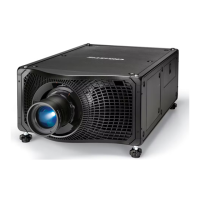
Identifies the main external and internal components of the projector with descriptions.
Guidance on ensuring correct module replacement and component compatibility for safe operation.
Safety precautions for Christie accredited technicians servicing energized equipment.
Comprehensive safety warnings and precautions for operating and servicing the projector.
Details hazard zones and distances due to optical and thermal radiation emitted by the projector.
Identifies general safety hazards associated with the projector and its accessories.
Step-by-step instructions for powering on the projector and its light source.
Procedures for safely powering off the projector and allowing it to cool down.
Guides on adjusting the lens mount tilt to compensate for screen-to-projector tilt.
Instructions for adjusting the fold mirror, emphasizing trained personnel and single lamp mode.
Details on adjusting the integrator's magnification and focus for optimal image projection.
Explains how to correct misaligned projected colors (red, green, blue) using the convergence test pattern.
Procedure for safely disconnecting pressurized liquid cooling system hoses.
Procedure for replacing blower fans cooling the B1, B2, and B3 lamp modules.
Procedure for replacing blower fans cooling the A1, A2, and A3 lamp modules.
Instructions for replacing fans cooling the B1, B2, and B3 lamp modules.
Instructions for replacing fans cooling the A1, A2, and A3 lamp modules.
Procedure for removing and replacing the four radiator fans in the fan pack.
Steps for replacing the HIP blower fans that cool the HIP printed circuit board.
Instructions for replacing the side intake fans that cool the light engine and electronics.
Procedure for replacing the intake fan providing cooling for the lamp driver modules.
Procedure for replacing the exhaust fan providing cooling for the lamp driver modules.
Instructions for replacing the green blower fan cooling the green light engine satellite board.
Instructions for replacing the red blower fan cooling the red light engine satellite board.
Instructions for replacing the blue fan cooling the blue light engine satellite board.
Instructions for replacing the liquid cooling module (LCM) for thermal cooling.
Procedure for replacing individual lamp drivers that power the lamp modules.
Steps for replacing the power supply module that provides voltage to the electronics.
Procedure for replacing the lamp module when lamps are nearing end of life or have burnt out.
Instructions for replacing the light engine that modulates light to create an image.
Instructions for replacing the HKBA board, an interface for control devices.
 General
| Matrix size | 1.38 \ |
|---|---|
| Matrix type | DMD |
| Native aspect ratio | - |
| Projection distance | - m |
| Projection technology | DLP |
| Contrast ratio (typical) | 2000:1 |
| Screen size compatibility | - \ |
| Projector native resolution | DCI 4K (4096x2160) |
| Lamp type | NSH |
| Lamp power | 450 W |
| Lamps quantity | 6 lamp(s) |
| Light source type | Lamp |
| Service life of light source | 1500 h |
| HDBaseT port | Yes |
| Serial interface type | RS-232 |
| USB 2.0 ports quantity | USB 2.0 ports have a data transmission speed of 480 Mbps, and are backwards compatible with USB 1.1 ports. You can connect all kinds of peripheral devices to them. |
| S-Video inputs quantity | 0 |
| Focal length range | - mm |
| Ethernet LAN data rates | 10, 100 Mbit/s |
| Power source | AC |
| AC input voltage | 200 - 240 V |
| Power consumption (standby) | - W |
| Operating temperature (T-T) | 5 - 40 °C |
| Operating relative humidity (H-H) | 10 - 80 % |
| Placement | Desktop |
| Product type | Standard throw projector |
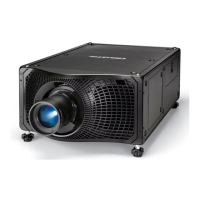
| Product color | Black |
| Market positioning | Business |
| Noise level | - dB |
 Weight and Dimensions
| Depth | 959 mm |
|---|---|
| Width | 597 mm |
| Height | 305 mm |
| Weight | 72575 g |







 To Next Page


