High Power DC Electronic Load 63200 Series Operation & Programming Manual
CVL RESPONSE
1: FAST 2. SLOW
Press 2, ENTER to choose the slow response.
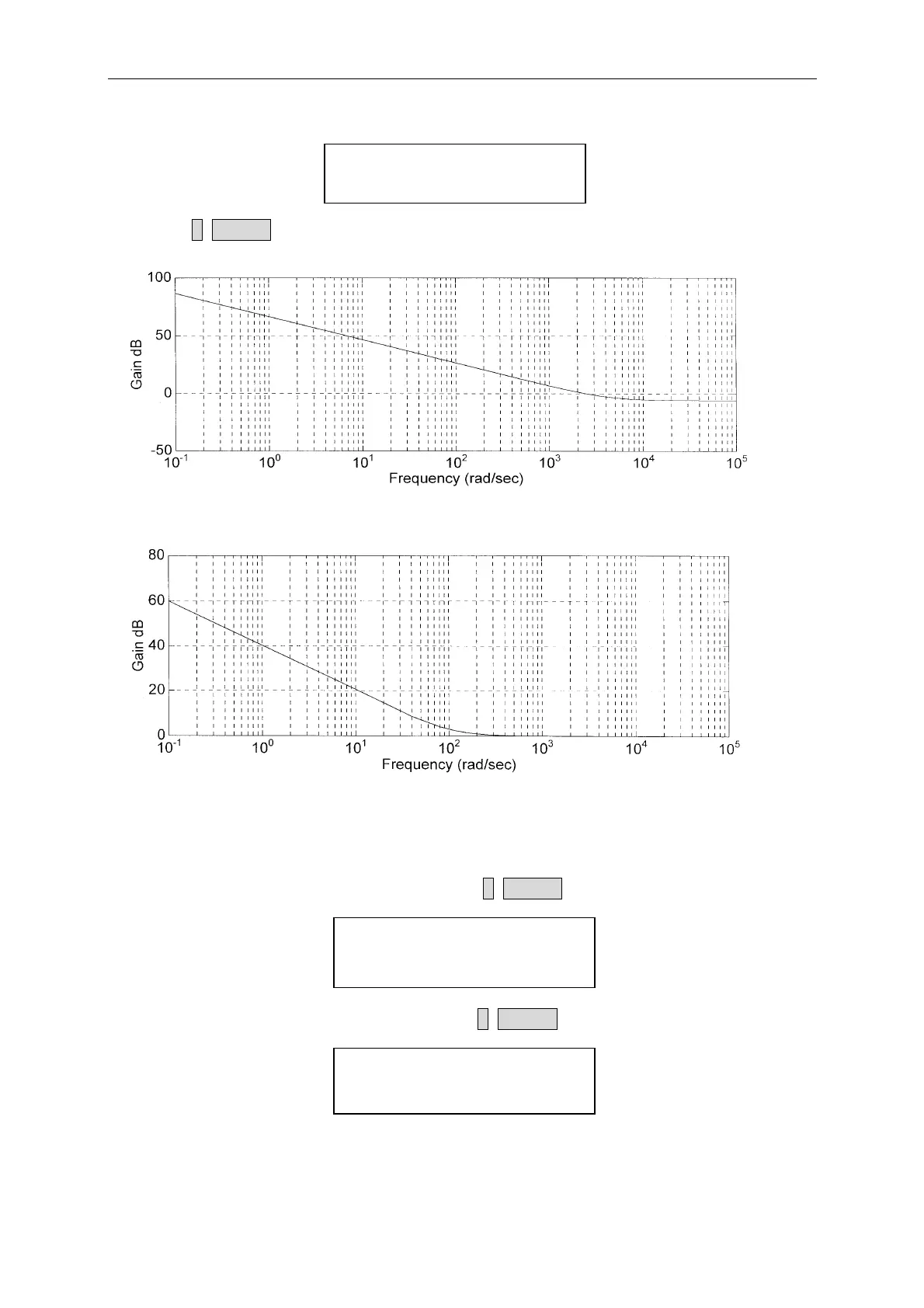
Figure 4-2 CV Response Transfer Function (FAST)
Figure 4-3 CV Response Transfer Function (SLOW)
4. Set Current spec
Set the high current spec. to 8 A by pressing 8, ENTER.
CVL CURRENT SPEC.
HIGH : 8.000A
Set the low current spec. to 4 A by pressing 4, ENTER.
CVL CURRENT SPEC.
LOW : 4.000A
Then the display will go to the first editing page again.
4-8



 To Next Page