15
Directed Digital Solutions CHRYSLER13
© 2016-07-12 Directed. All rights reserved.
Soft reset
A module reset will only erase the steps performed in "Module programming" on page 12. The firmware and settings flashed to
the module will not be affected.
1
If required for your installation, connect all the harnesses to the Directed Digital Solutions,
EXCEPT the 12-pin main power harness. Press and hold the programming button, then
connect the 12-pin harness to the module.
Connect all but the
12-pin harness
2
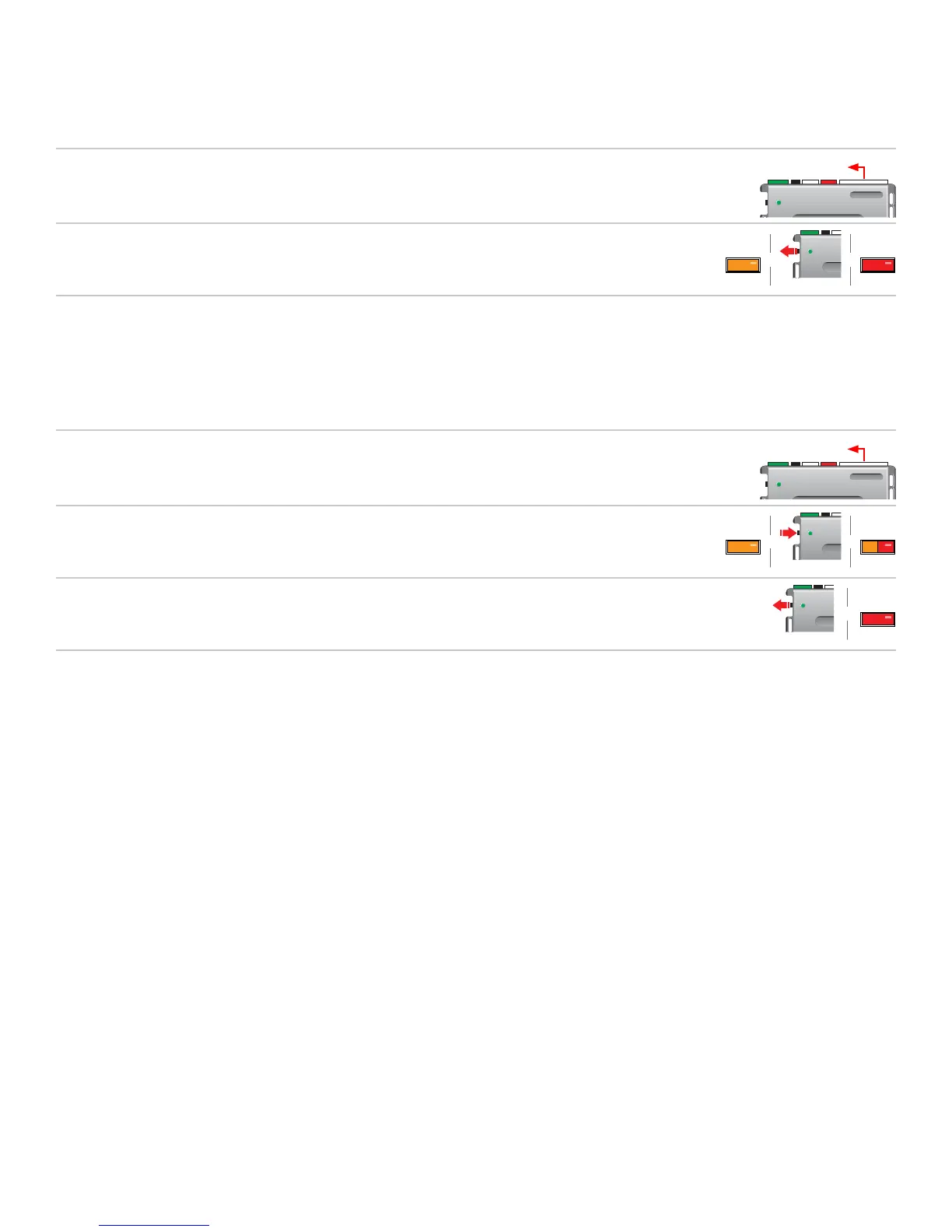
Wait 3 seconds until the LED turns ON solid orange then release the programming button.
The LED turns ON solid red.
&&
ReleaseSolid Solid
Hard reset
Warning Against Executing a Hard Reset!
A hard reset will revert the flashed firmware back to its default settings. Depending on the installation, some settings may need to
be reconfigured. Connect your module to a computer and use the web configuration tool to edit its programmable features.
1
If required for your installation, connect all the harnesses to the Directed Digital Solutions,
EXCEPT the 12-pin main power harness. Press and hold the programming button, then
connect the 12-pin harness to the module.
Connect all but the
12-pin harness
2
After 3 seconds the LED turns ON solid orange. Keep holding the programming button until
the LED flashes red, then orange slowly.
HoldSolid Flashes
&&
3
Release the programming button. The LED turns ON solid red.
Release
&
Solid



 To Next Page