MULTIMEDIA 237
3. Select Manage Remote Controls from the
Remote section of "Settings” and follow the
on-screen instructions to complete the
unpairing process.
4. Once complete, the remote will be ready to
pair again.
NOTE:
There will be a touchscreen notification
message when unpairing is successful. Repeat
the above steps to unpair a second remote.
MEDIA SOURCES
Media Source Selection (Front Touchscreen)
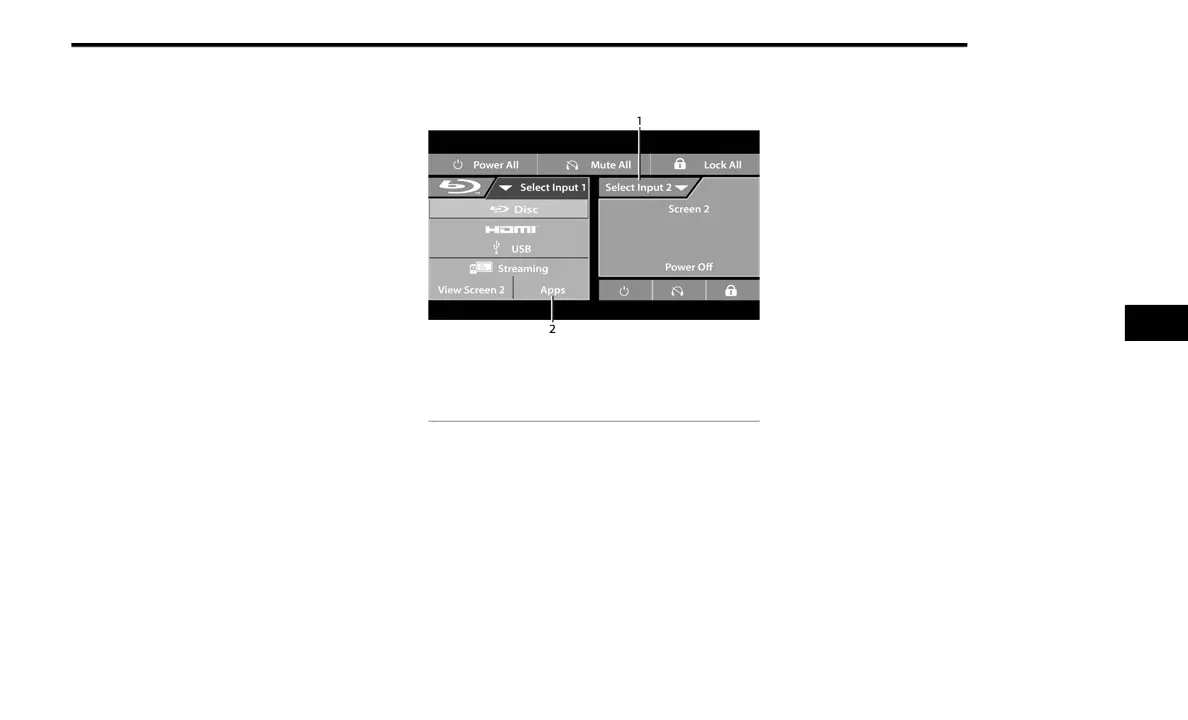
Users can select content for each screen from
the front radio touchscreen by choosing desired
content from the “Select Input” drop-down
menu. Options include “Blu-ray™ Disc”, “HDMI”,
“USB”, “Apps”, and “Viewing the other rear
screen”.
NOTE:
Use the “View Screen” function to pull content
from one screen to the other with a single press
of a button. Doing this however will disable and
gray out certain player controls on the screen
viewing the other screen's content.
1 — Screen 2 Source Selection Drop Down
2 — Selected Source Screen 1
5
21_RUP_OM_EN_USC_t.book Page 237















 To Next Page