17
Chapter 9 Applications
9.1. Applications
CIDEKO SIMPLE BOX ADVANCED
APPLICATION
Browser DLNA Player Facebook FW Update
Output Modes Settings Skype(BETA) Video Player
Gallery Music OI File Manager
UPnP
HDMI
9.2 Firmware Upgrade
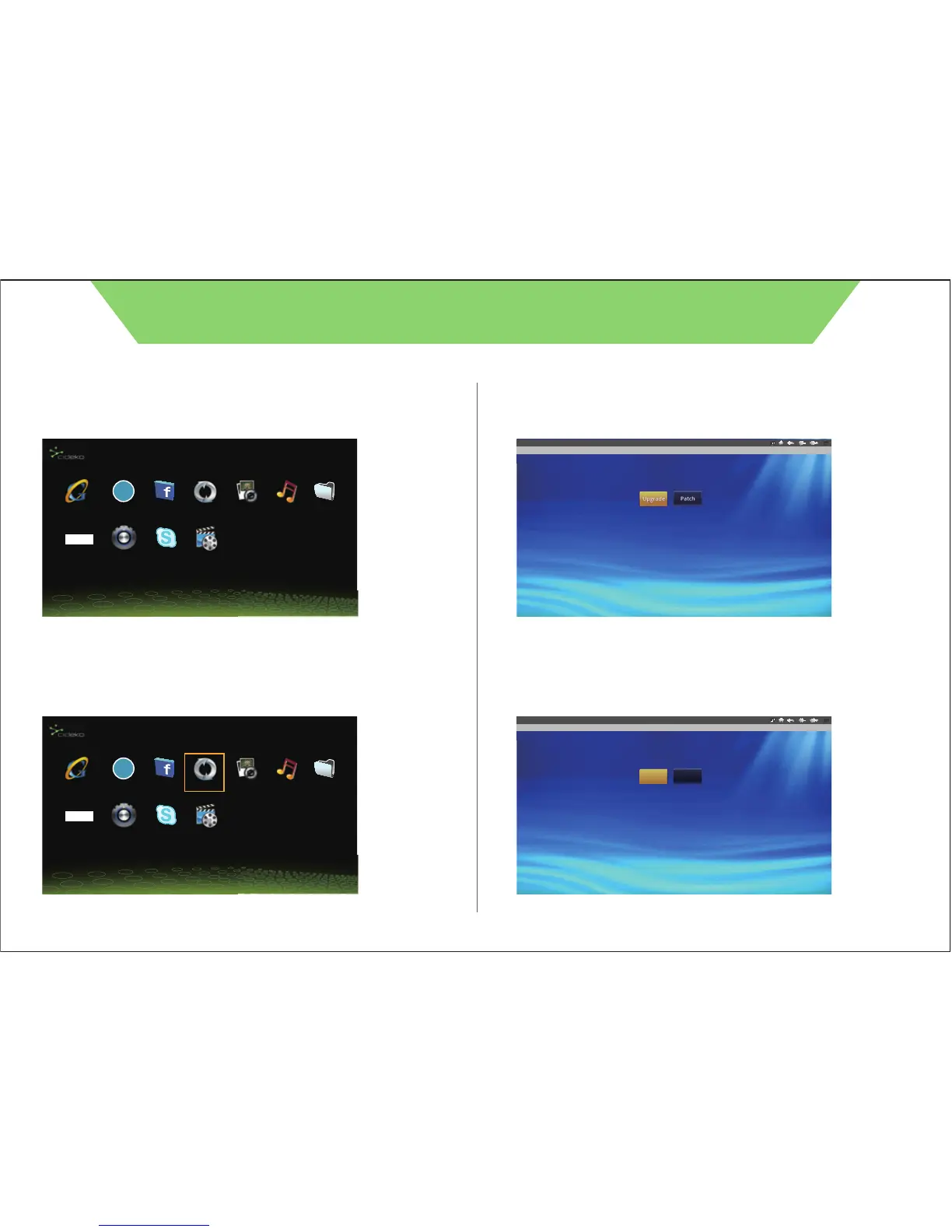
9.2.a. Select “Firmware” under Application to update.
APPLICATION
Browser DLNA Player Facebook FW Update
Output Modes Settings Skype(BETA) Video Player
Gallery Music OI File Manager
UPnP
HDMI
9.2.b. Select “update method” to choose Firmware.
9.2.c. Select “Upgrade” to start updating Firmware.
Select update method.
W Update(V1.0_05202011)
9.2.d. Select “Next” to continue firmware update.
Make sure that your device has at least 30% battery power or the AC adapter is plugged in. Tap Next. The device will reboot and
perform the update now. To perform the update later, tap Exit. Refer to the User Guide for instrucctions to manually start the
update later.
Next Exit
W Update(V1.0_05202011)



 To Next Page