Manuale Istruzioni
Instruction Manual
5. PRODUZIONE CARTE 5. CARD PRODUCTION
Una volta ultimata l’installazione della Punzonatrice,
del Software applicativo e la connessione all’Host si
può iniziare la produzione delle carte procedendo
come segue:
•
Inserire le carte (max. 200) nella zona di carico
(già regolata per cate plastiche a norme ISO
7810) posta sul lato destro della macchina. Se
occorre eseguire anche la codifica, assicurarsi
che la banda magnetica sia sul lato inferiore
della carta e rivolta verso l’alto come in fig. 9
As soon as the Embosser, the Software and the
serial connection to the Host computer have been
sucessfully installed, Card production can be
started. Follow the instructions below to do this:
•
Insert the cards (max 200) in the loader on the
right side of the machine. This has bedn
adjusted for plastic cards with the ISO 7810
standards. If it is necessary to run the coding
routine please assure that the magnetic ribbon is
on the bottom side of the card and that it is
facing upwards as in Fig 9.
BANDA MAGNETICA
MAGNETIC STRIP
Fig.9
•
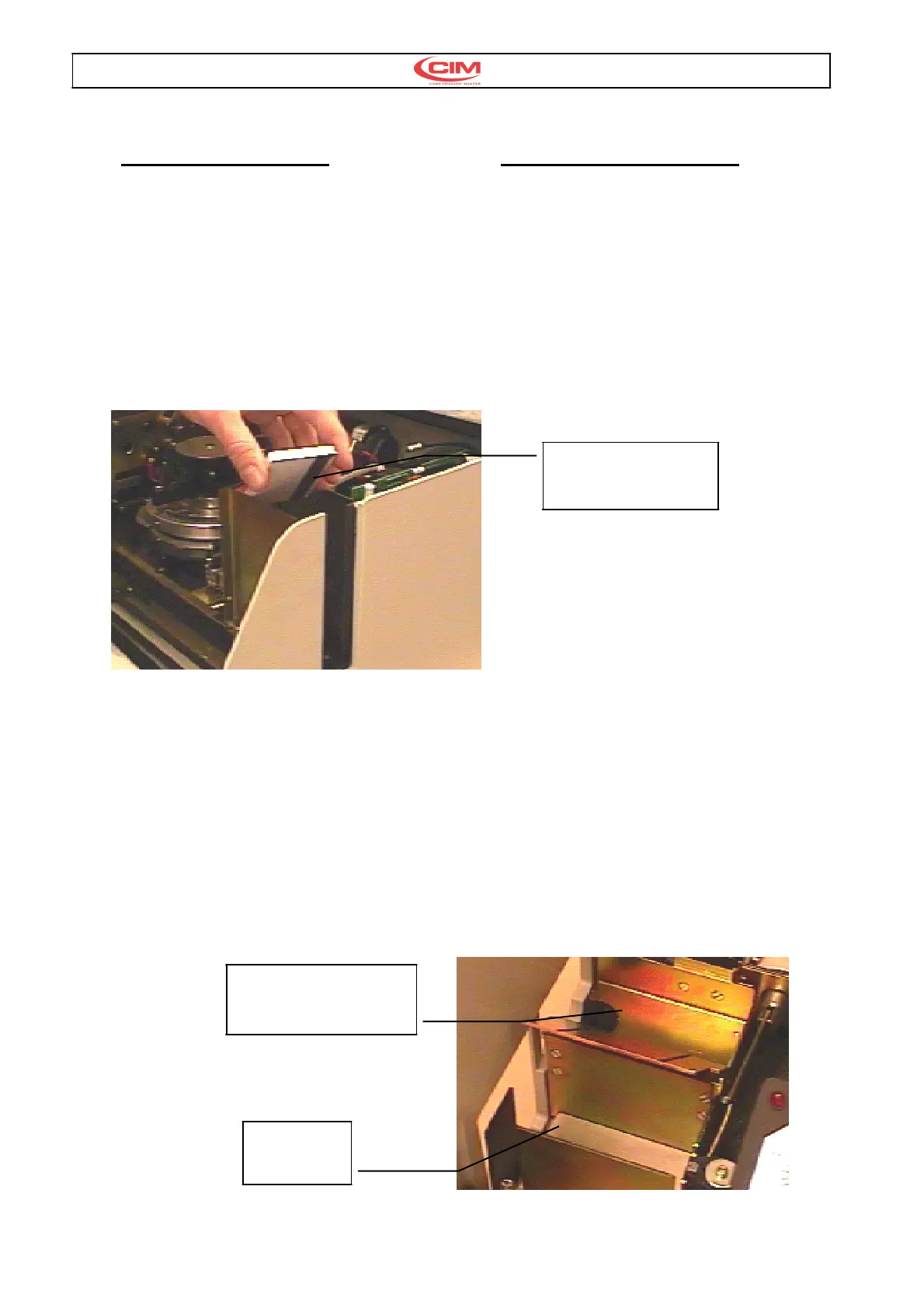
Lanciare il Software applicativo per iniziare la
produzione delle carte plastiche. Il ciclo termina
con lo scarico della carta sul lato sinistro della
Punzonatrice, come indicato in fig.10 (A), se non
si sono verificati errori . MAXIMA termina il
lavoro e si posiziona nello stato iniziale di
READY.
Se si sono verificati errori durante il ciclo MAXIMA
segnala sul display il codice di errore ed esegue lo
scarico in negativo della carta come indicato in fig.
10 (B).
Le varie situazioni d’errore sono descritte nel
capitolo: Messaggi d’errore e Risoluzioni guasti
•
Run the Software Program to start the card
production. The production cycle finishes with the
unloading of the card on the left of the Embosser
as indicated in Fig 10 (A); if the cycle is error free
the Embosser returns to the initial READY state.
IF errors have occurred during the working cycle the
Embosser will indicate the error codes on the LCD
display and discard the faulty card as shown in Fig
10 (B).
Please refer to the chapter on ‘Error Messages and
Problem Solving’ for a description of the errors that
can arise.
B
SCARICO NEGATIVO
DISCARD UNLOADER
Fig.10
A
SCARICO
UNLOADER



 To Next Page