Manuale Istruzioni
Instruction Manual
•
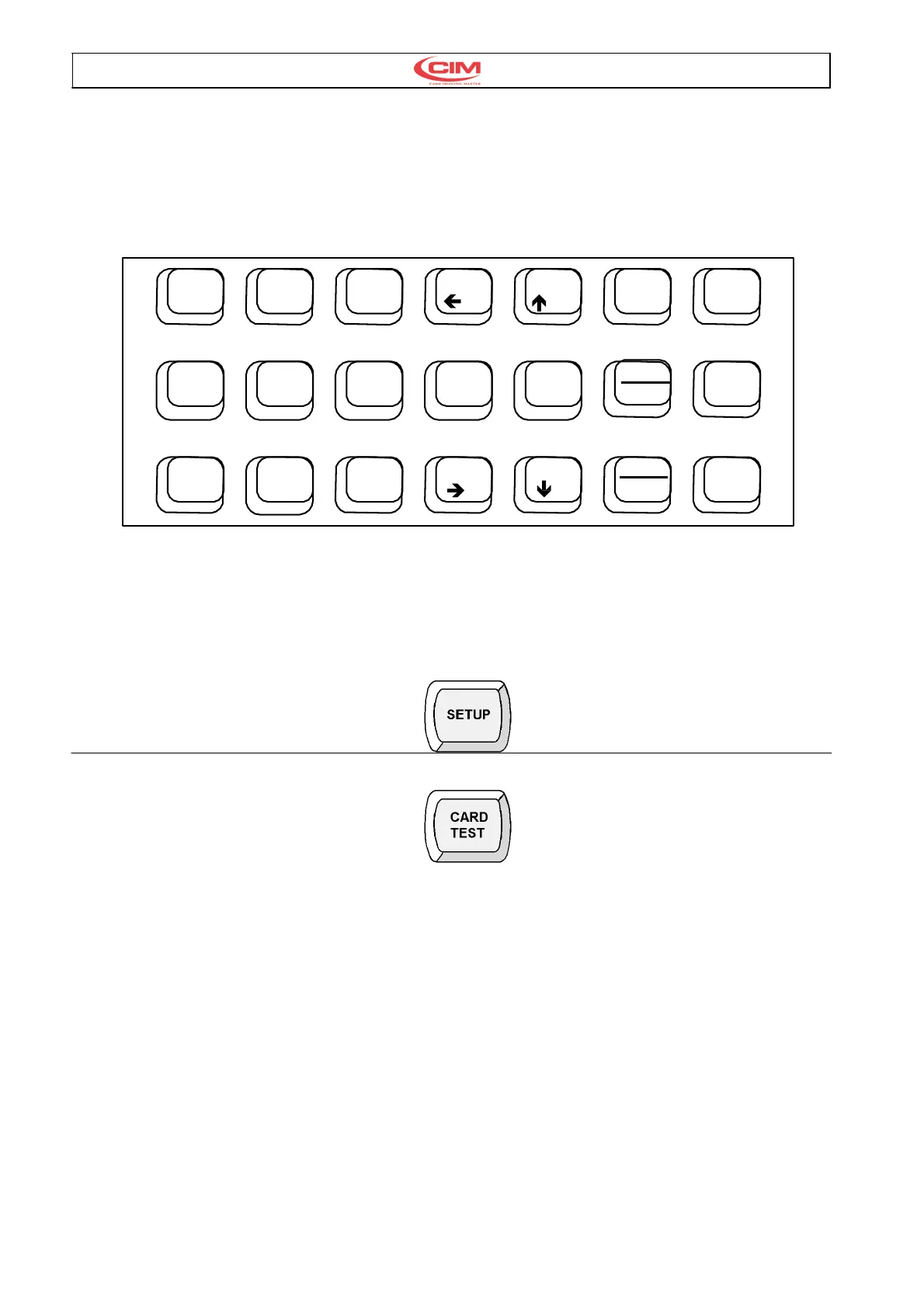
6 tasti funzione per abilitare le funzioni di
diagnosi della macchina.
•
4
tasti di movimento
(+
� � �) per
muovere il cursore nella direzione voluta.
•
1 tasto di ENTER utilizzato per confermare i
comandi.
•
6 Function keys which enable the diagnostic
functions of the machine
•
4
direction keys
(+
� � �) for moving the
cursor in the desired direction
•
1 ENTER key which is used to confirm the
commands.
Tastiera Keyboard
SETUP
CARD
1 2 3
TEST
ENTER
ABORT EMB.
4 5 6 0
DUP MODE
PAUSE
FEED
7 8 9
START
Fig. 8
3.7. DESCRIZIONE OPERATIVITA’
TASTIERA
3.7. KEYBOARD DESCRIPTION
I 6 tasti funzione abilitano i seguenti comandi: The following list describes the 6 function keys and
their actions.
SETUP E’ utilizzato per abilitare il menù di
programmazione oppure altre funzioni interne
della macchina. Una successiva password
abilterà il comando
SETUP .This key is used to access the
programming menu or other internal
functions of the machine. A Password
enables this command.
CARD TEST Abilita la produzione di carte di
prova con formati prestabiliti senza l’ausilio del
Computer. Digitare un numero tra 0 e 12 e
premere ENTER, per eseguire il ciclo di test
desiderato. I test abilitati sono i seguenti:
0 Punzona in progressione tutti i caratteri presenti
sul tamburo suddivisi per Font.
1 Punzona quattro L agli angoli della carta.
2 Punzona un testo VISA completo di codifica
delle 3 tracce
3 Codifica delle 3 tracce.
4 Codifica della sola traccia 2.
5 Punzona una carta con tutti i valori del setup.
6 Punzona un testo CIM.
7 Punzona un testo CIM utilizzando il Font ad
incisione.
8 Punzona un testo VISA.
9 Esegue un ciclo di carico/scarico carta.
attivando il solenoide del gruppo Chip.
CARD TEST This key enables the
production of test cards with a pre
determined format. It is done without the aid
of the computer. Type in the number
between 0 and 12 which corrisponds to the
test card desired and then press ENTER to
produce the card.
The list below describes the test cards
available.
10Embosses a series of all the characters present
on the drum.with the available fonts.
1 Embosses an ‘L’ in each angle of the card.
2 Embosses a VISA text with the 3 encoded tracks.
3 Encodes the three tracks.
4 Encodes only track 2.
5 Embosses a card with all of the machine setup
values
6 Embosses a text CIM
7 Embosses a text CIM using the Indent Font
8 Embosses a VISA text
9 Runs a card Load/Unload cycle enabling the
solenoid of the CHIP group.



 To Next Page