
 Need help?
Do you have a question about the Cino FuzzyScan F560 Series and is the answer not in the manual?
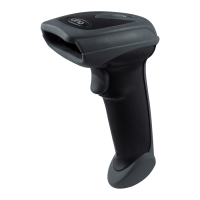
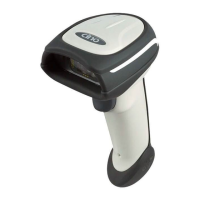
Details on the A770 series barcode scanner, including its features and design.
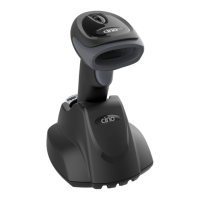
Information on the F790, F780, and L780 series barcode scanners.
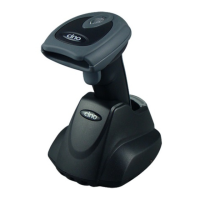
Overview of the F680 and L680 series barcode scanners.
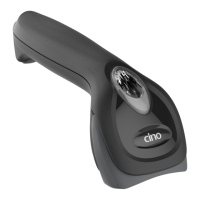
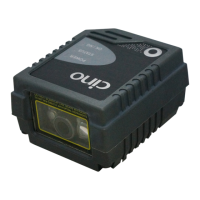
Details regarding the F560 series barcode scanner.
Instructions for connecting the scanner via RS232 serial interface.
Guide for connecting the scanner using a PS/2 keyboard wedge interface.
Information on connecting the scanner via USB HID and USB COM modes.
Scanner operation mode where the trigger must be pressed to activate the light source.
Scanner mode for automatic scanning when a barcode is detected.
Scanner mode with continuous light source until a preset time or trigger press.
Scanner mode that keeps the light source on until a barcode is decoded.
Scanner operation mode where the trigger must be pressed to activate the light source.
Scanner mode for automatic scanning when a barcode is detected.
Scanner mode with continuous light source until a preset time or trigger press.
Scanner mode that keeps the light source on until a barcode is decoded.
Scanner mode that flashes the light source for barcode detection.
Scanner mode with a continuously forced light source for high-speed reading.
Scanner mode where the light source stays on until the trigger is pressed again.
Scanner mode where the light source is forced on regardless of parameters.
Scanner mode that puts the device into an idle state after scanning.
Settings for record suffixes in keyboard interface mode.
Selection of keyboard layouts for interface configuration.
Settings for record suffixes in serial interface mode.
Configuration options for serial communication baud rates.
Settings for data frame parameters in serial communication.
Accessing system information and status.
Establishing a connection via PowerTool Host Link.
Restoring the scanner to its factory default settings.
Applying master default configuration settings.
Managing user-defined default settings.
Saving current settings as user defaults.
Configuring the host interface for RS232 serial connection.
Settings for replacing keyboard input interfaces.
Setting the PS/2 Keyboard Wedge to standard mode.
Setting the PS/2 Keyboard Wedge to turbo mode.
Configuring the USB HID interface for standard operation.
Setting up USB for COM port emulation.
Configuring the USB HID interface for turbo mode.
Instructions to enter the scanner's programming mode.
Instructions to exit the scanner's programming mode.
List of available option codes for scanner configuration.
Configuration of keyboard layouts for interface control.
Control settings for record suffixes in keyboard interface.
Configuration of preamble settings for keyboard interface.
Configuration of postamble settings for keyboard interface.
Setting the delay between messages for keyboard interface.
Setting the delay between characters for keyboard interface.
Setting the delay between functions for keyboard interface.
Managing Caps Lock behavior for keyboard interface.
Controlling Caps Lock release behavior.
Configuring function key emulation settings.
Settings for key pad emulation on the keyboard interface.
Controlling the case sensitivity for keyboard input.
Managing STX/ETX transmission for serial interface.
Control settings for record suffixes in serial interface.
Configuration of preamble settings for serial interface.
Configuration of postamble settings for serial interface.
Selection of handshaking protocols for serial communication.
Setting the delay between messages for serial interface.
Setting the delay between characters for serial interface.
Setting the delay between functions for serial interface.
Configuring response time-out for serial communication.
Setting the retry count for NAK responses in serial interface.
Structure of message strings for keyboard interface output.
Structure of message strings for serial interface output.
 General
| Brand | Cino |
|---|---|
| Model | FuzzyScan F560 Series |
| Category | Barcode Reader |
| Language | English |


 To Next Page
