
 Need help?
Do you have a question about the Cino FuzzyScan F780 Series and is the answer not in the manual?
Details on the A770 scanner series, part of the FuzzyScan family.
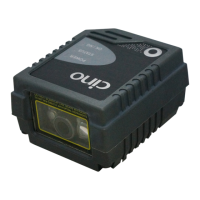
Details on the F790, F780, and L780 scanner series.
Details on the F680 and L680 scanner series.
Details on the F560 scanner series.
Instructions for connecting the scanner via RS232 serial interface.
Instructions for connecting the scanner via PS/2 keyboard wedge interface.
Instructions for connecting the scanner via USB HID and USB COM interfaces.
Adjusting presentation sensitivity for bar code detection in varying light conditions.
Enabling or disabling background lighting for presentation mode scanning.
Scanner operates in standby; trigger press activates light source for scanning.
Scanner activates light source automatically to detect bar codes in presentation mode.
Light source stays on for a preset time; trigger press reactivates after good read.
Light source stays on until decode or timeout; trigger press needed after decode.
Light source is continuously on for high-speed bar code reading.
Light source stays on until trigger is pressed again, similar to alternative mode.
Light source is forced on regardless of other parameters for diagnostics.
Scanner enters idle state after scanning; trigger press wakes it up.
Allows decoding of multiple bar codes with a single trigger pull.
Scanner flashes the light source without pressing the trigger.
Settings for defining record suffix characters for keyboard interface.
Selection of various keyboard layouts for interface compatibility.
Configuration options for serial communication baud rates.
Settings for serial data frame configurations (data bits, parity, stop bits).
Command to retrieve detailed system information from the scanner.
Command for establishing a host link connection using PowerTool.
Command to reset the scanner to its original factory default settings.
Command to restore master default configuration settings.
Command to load or apply user-defined default settings.
Command to save current scanner settings as user defaults.
Command for replacing or reconfiguring the keyboard interface.
Setting the PS/2 Keyboard Wedge interface to standard mode.
Setting the PS/2 Keyboard Wedge interface to turbo mode.
Setting the USB HID interface to standard mode.
Setting the USB HID interface to turbo mode.
Setting the USB interface to Com Port Emulation mode.
Command to enter the scanner's programming mode.
Command to exit the scanner's programming mode.
Reference for numerical and alphabetical option codes used for configuration.
Command to finalize and save changes after programming.
Configuration of preamble settings for keyboard interface data.
Configuration of postamble settings for keyboard interface data.
Setting the delay between transmitted messages for keyboard interface.
Setting the delay between transmitted characters for keyboard interface.
Setting the delay between transmitted functions for keyboard interface.
Control options for the scanner's Caps Lock behavior.
Control options for releasing the Caps Lock state.
Configuration for function key emulation modes.
Configuration for key pad emulation modes.
Settings for controlling the case sensitivity of scanned data.
Control for enabling or disabling STX/ETX transmission.
Configuration options for serial handshaking protocols.
Setting the time-out duration for serial responses.
Configuration for the number of retries upon NAK.
Breakdown of message string format for keyboard interfaces.
Breakdown of message string format for serial interfaces.
Table mapping key functions to ANSI, ASCII, and control outputs.
Reference table for converting between HEX and ASCII values.
 General
| Brand | Cino |
|---|---|
| Model | FuzzyScan F780 Series |
| Category | Barcode Reader |
| Language | English |


 To Next Page

