
 Need help?
Do you have a question about the Cino FUZZYSCAN F680 Series and is the answer not in the manual?
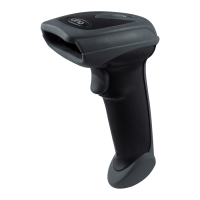
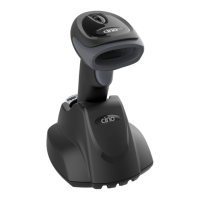
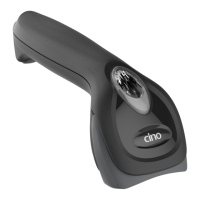
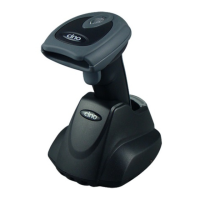
Identifies the A770 scanner series for users, detailing its features.
Identifies the F790/F780/L780 scanner series for users, detailing its features.
Identifies the F680/L680 scanner series for users, detailing its features.
Identifies the F560 scanner series for users, detailing its features.
Explains how to connect the scanner via the RS232 serial interface.
Explains how to connect the scanner via the PS/2 Keyboard Wedge interface.
Explains USB connection modes: HID and COM Port Emulation.
Adjusts scanner sensitivity for dim ambient lighting in presentation mode.
Controls scanner LED illumination for optimal scene detection.
Scanner enters standby after scan; trigger press required for next scan.
Scanner automatically scans detected barcodes without trigger press.
Scanner keeps light on until preset time or trigger press; resets timer on read.
Scanner keeps light on until decode or preset time; requires trigger press after decode.
Scanner light source is forced on for continuous operation.
Scanner light stays on until trigger press again; similar to alternative mode.
Scanner light source is forced on regardless of other parameters.
Scanner enters idle state after scan; trigger press required to wake up.
Scanner decodes multiple barcodes with a single trigger pull.
Scanner waits for trigger press after each scan.
Scanner automatically scans detected barcodes.
Scanner keeps light on until preset time or trigger press; resets timer on read.
Scanner keeps light on until decode or preset time; requires trigger press after decode.
Scanner flashes light source; automatically scans detected barcodes.
Scanner light source is forced on for continuous operation.
Scanner light stays on until trigger press again; similar to alternative mode.
Scanner light source is forced on regardless of other parameters.
Scanner enters idle state after scan; trigger press required to wake up.
Sets suffix characters for recorded data (None, TAB, ENTER, RETURN, SPACE).
Selects keyboard layout for country-specific character mapping.
Sets suffix characters for recorded data (None, CR, LF, CRLF, TAB, SPACE).
Configures the serial communication speed (BPS).
Sets data frame parameters: data bits, parity, and stop bits.
Retrieves general scanner status and configuration details.
Establishes connection for the PowerTool scanner management utility.
Resets scanner settings to the original factory configuration.
Resets scanner settings to the system's default configuration.
Resets scanner settings to the current user-defined defaults.
Saves the current scanner configuration as user-defined defaults.
Configures the scanner for RS232 serial communication.
Sets the scanner to function as a keyboard replacement.
Configures PS/2 Keyboard Wedge for standard operation.
Configures PS/2 Keyboard Wedge for high-speed operation.
Configures USB HID for standard keyboard emulation.
Configures USB HID for high-speed keyboard emulation.
Configures USB for serial port emulation.
Scans barcode to enter the scanner's programming mode.
Scans barcode to exit the scanner's programming mode.
Scans barcode to finalize and save programming changes.
Maps country-specific keyboard layouts for character output.
Configures suffix characters appended to scanned data.
Sets up to 15 characters as a preamble for scanned data.
Sets up to 15 characters as a postamble for scanned data.
Sets delay between messages in milliseconds.
Sets delay between characters in milliseconds.
Sets delay between functions in milliseconds.
Manages Caps Lock state (Off, On, Auto Detect).
Controls Caps Lock behavior when releasing keys.
Emulates function keys using ASCII control codes.
Enables or disables keypad emulation and numeric output.
Sets output case to Normal, Inverse, Upper, or Lower case.
Enables or disables STX/ETX transmission for serial data.
Configures suffix characters appended to scanned data.
Sets up to 15 characters as a preamble for scanned data.
Sets up to 15 characters as a postamble for scanned data.
Selects handshaking method (None, RTS/CTS, ACK/NAK, Xon/Xoff).
Sets delay between messages in milliseconds.
Sets delay between characters in milliseconds.
Sets delay between functions in milliseconds.
Configures timeout periods for serial responses.
Sets the number of retries for NAK responses.
Table detailing keyboard key functions and their control outputs.
Reference table for HEX/ASCII values and corresponding characters.
 General
| Connectivity | RS-232, USB, Keyboard Wedge |
|---|---|
| Supported Barcodes | PDF417, QR Code, Data Matrix, Aztec, Postal Codes |
| Operating Temperature | 0°C to 50°C |
| Light Source | 630nm red LED |
| Image Sensor | CMOS |
| Print Contrast | ≥25% |
| Humidity | 5% to 95% (non-condensing) |
| Power Supply | 5V DC via USB or external power adapter |
| Storage Temperature | -20°C to 60°C (-4°F to 140°F) |


 To Next Page
