14
running the pool pump longer allows for more chlorination. Measure
your water chemistry and chlorine level on a regular basis.
Using the Control Module
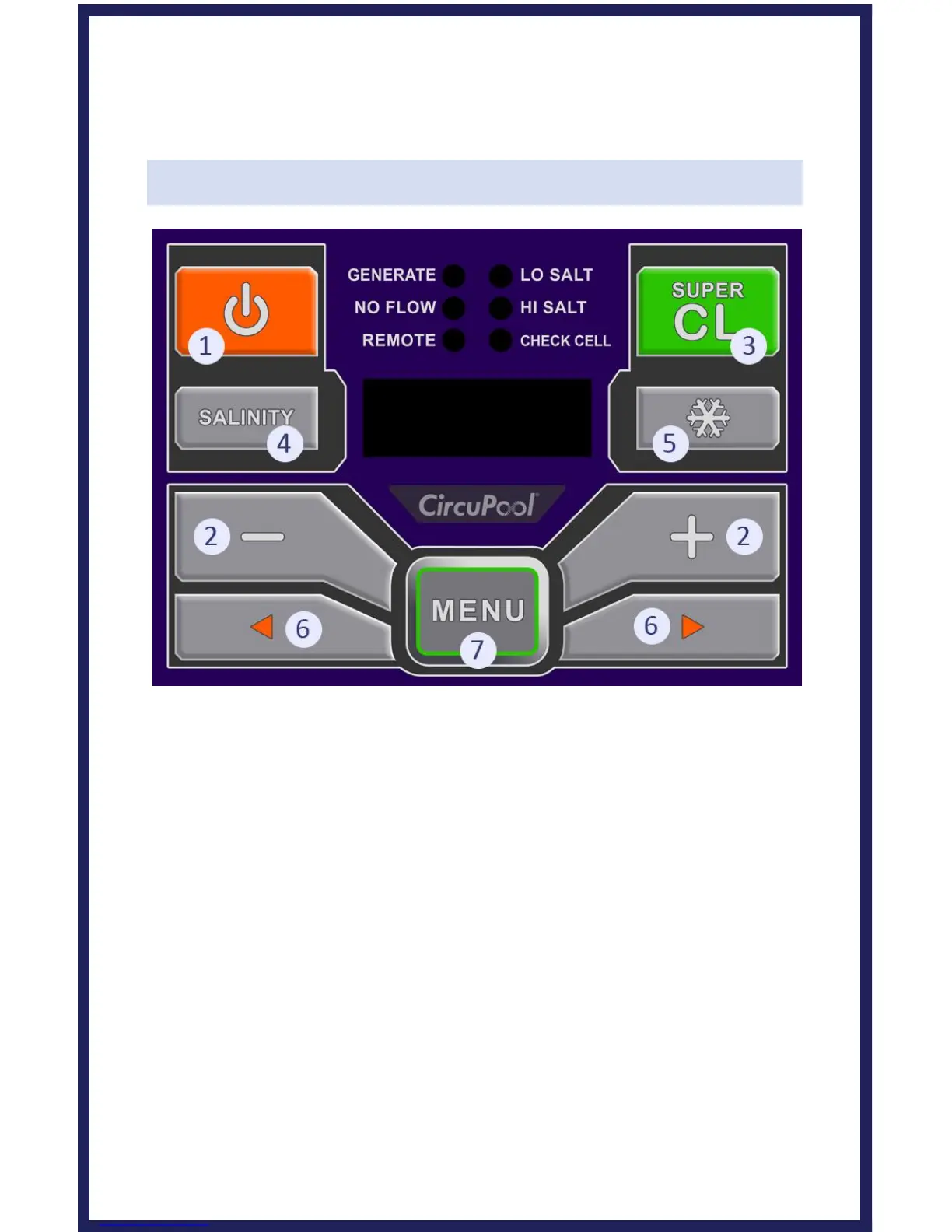
CONTROL BUTTONS
1) Power: Use this button to manually power the system on or off.
2) Chlorine Output: Use the plus/minus buttons to raise/lower the
system's power setting (the rate of chlorine production), in order to
customize operation for your pool's needs.
3) Super CL: Temporarily boosts Chlorine Output to Maximum Power
for 24 hours, or until power is removed from the system.
4) Salinity: Displays the average measurement of the most recent
salinity levels in the pool water. The average is constantly being
updated by real-time salinity readings.
TIP: When first installed, this reading may display the last salinity
readings taken at the factory. This average will begin to update with
your pool's operation over the first 24 hours.



 To Next Page