Page 1
Overview of Custom Instructions
Introduction
CH2 custom instructions provide you with more flexibility and control over the Cirris® CH2 tester than the
standard test instructions included with the Easy-Wire™ software. You have full control of the voltage and
current used in a test. Custom Instructions also allow you to use a wide range of external instruments
that expand the capabilities of your CH2 test system. Some custom instructions allow the CH2 tester to
emulate other test equipment in the marketplace. These instructions have all the benefits of the standard
Easy-Wire commands: measured values, custom reporting, import/export, and Easy-Wire editor and test
interfaces.
With the added capability and flexibility of CH2 custom instructions comes the increased likelihood of
errors in the test setup. We suggest that the person using these custom instructions be skilled setting
electrical test parameters and have a technical electrical background.
A few basic CH2 Custom Instructions come with the Easy-Wire software but most are available when you
purchase a license file for CH2 Custom Instructions. In order to get the latest custom instructions, you will
likely need to install a current version of the Easy-Wire software. Your Cirris sales representative can
help you with both upgrading Easy-Wire software and obtaining a license file for Custom Instructions.
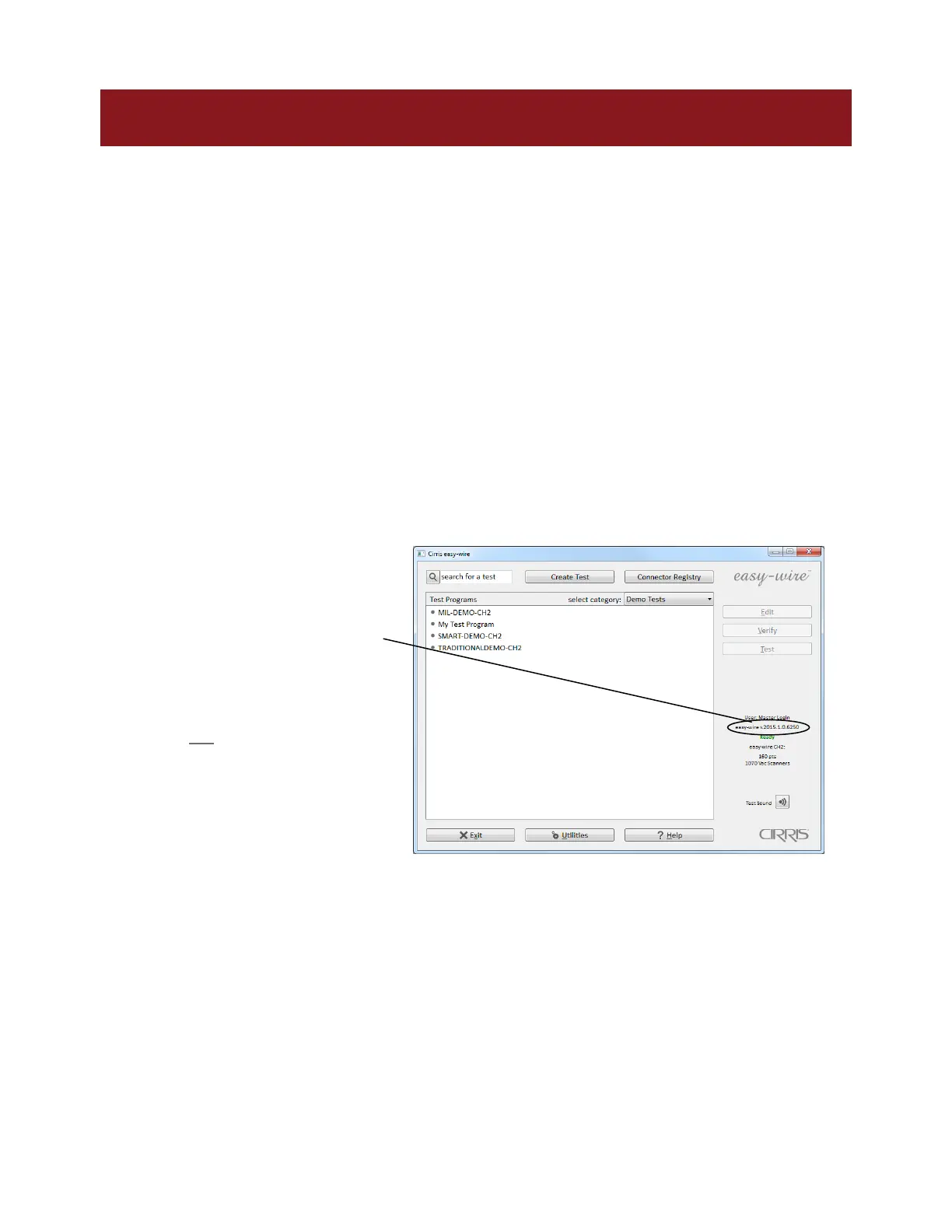
Check your software version
Check the version of your Easy-Wire
software on the Easy-Wire Main
Menu.
You can find the current version of
the software listed on the Cirris
Easy-Wire software web page.
If you do not have a current
version, download it from the Cirris
Easy-Wire software web page. Call
your Cirris salesperson to obtain a
password for downloading the
software.
Install the License File
To access most CH2 Custom Instructions you will need to obtain a license. You will receive
your license file via email.
Copy the license file to the same folder that your Easy-Wire.exe resides. This will be: “C:\Program
Files\Cirris\easywire” for 32 bit Windows, or
“C:\Program Files (x86)\Cirris\easywire” for 64 bit Windows.
Note: “Program Files (x86)” will not exist unless your operating system is 64 bit.



 To Next Page