Page 2
Adding a Custom Instruction to a Test Program
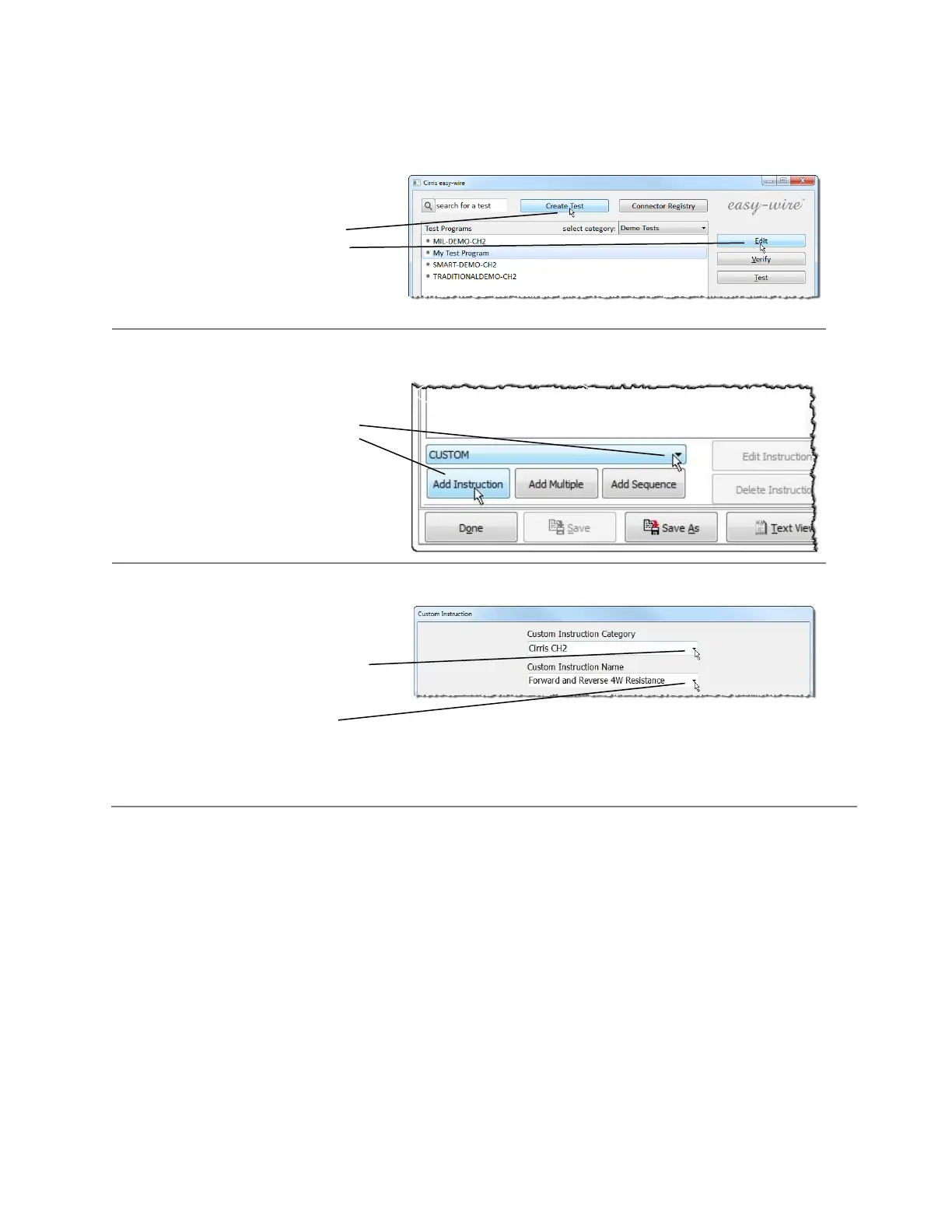
To add a custom instruction:
1. From the Easy-Wire Main
Menu, either edit or create a
new test program
2. Under the Define Instructions
Tab, select CUSTOM in the
drop down, and click Add
Instruction.
Note: You can also use the
Add Multiple or Add
Sequence Buttons. Click the
Easy-Wire help on this page
for more information.
After selecting a Custom Instruction
you are presented with this “Custom
Instruction” Window.
You first select Category of the Custom
Instruction you want to insert,
and then select the custom instruction
from that category.
Custom Instructions are grouped by categories. For example, all the instructions available for one type of
external instrument are grouped as a category. The “Common” and “Cirris CH2” categories come with
the Easy-Wire software. Additional categories are added to the list when you purchase a license file.



 To Next Page