Optimus sound level meter - Bluetooth and dBActive quick start guide
12
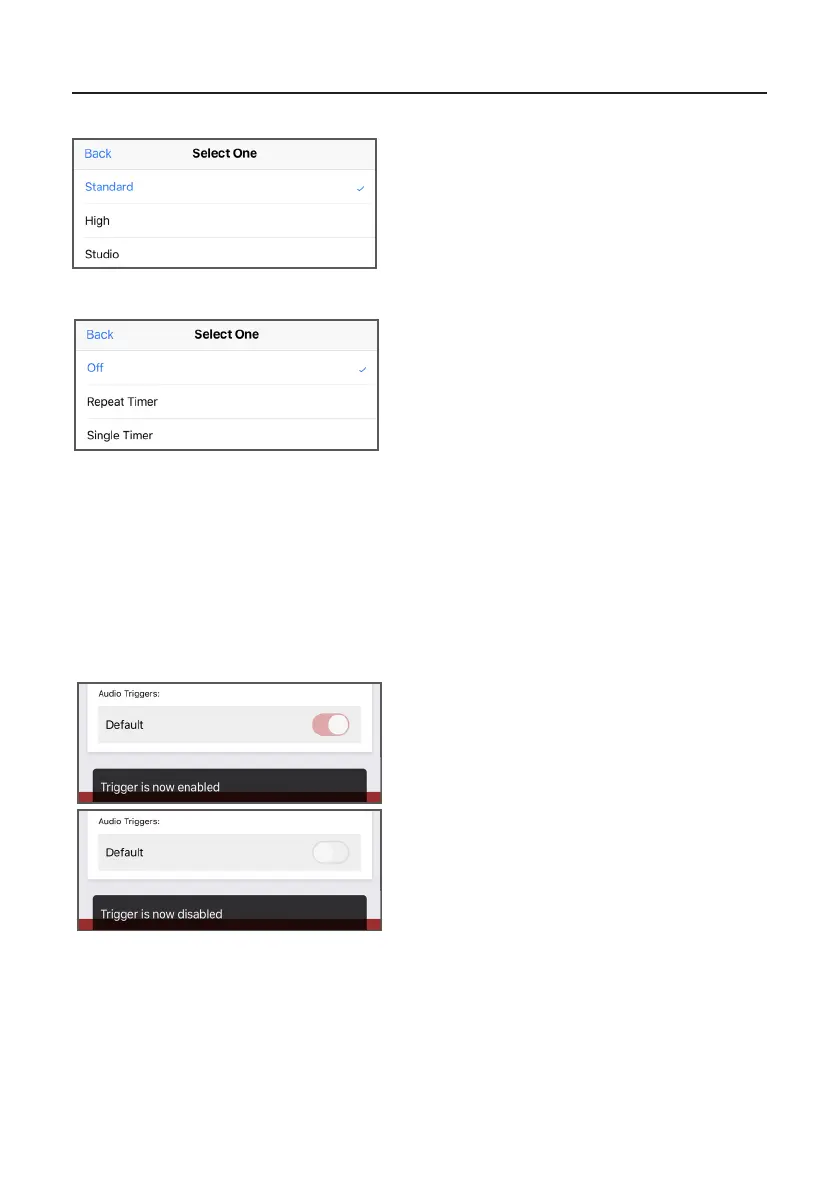
Press on the exisng opon to open a menu,
from which you can select a new value.
Standard quality (16-bit, 16 kHz)
High quality (24-bit, 48 kHz)
Studio quality (32-bit, 96 kHz)
2.4.3 Changingaudioquality
Press on the exisng opon to open a menu,
from which you can select a new value.
Repeat mer - allows measurements to be
stopped and started automacally over a long
period of me. The repeat timer is synchronised
2.4.4 Changingmersengs
Press on the switch to either turn audio triggers
on or o.
An audio trigger will start your instrument
recording the audio and noise levels when a
certain threshold has been met. This seng can
be customised on your Opmus+.
A conrmaon message will display aer the
seng has been selected.
2.4.5 Turningaudiotriggerson/o
to the real-time clock, so if you choose a 30 minute duration, the measurement will
begin on the hour and at 30 minutes past. When the measurement ends, a new one
will begin and last for the next 30 minute interval.
Single mer - The single timer allows measurements to automatically stop after a
pre-defined period of time. If you set the single timer duration to 15 minutes and
enable the single timer option, then all measurements will automatically stop after
15 minutes.


 To Next Page