Optimus sound level meter - Bluetooth and dBActive quick start guide
5
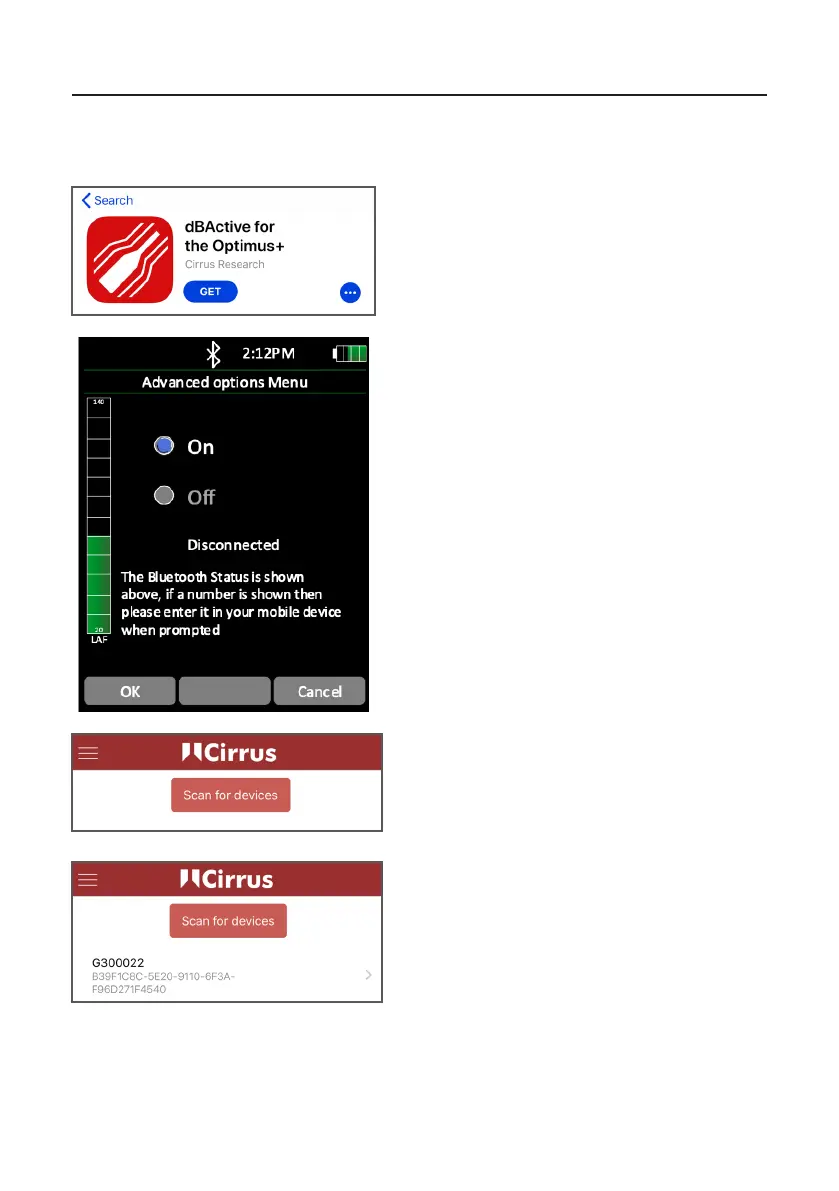
1 DownloadingdBAcveandconnecngtoyour
Opmus+
Search for dBAcve on either the App Store
(iOS devices) or Google Play (Android devices).
Download the app to your device.
Enable Blutooth on your Opmus+ instrument.
This can be found by navigang to the
‘Advanced Opons’ menu.
Open dBAcve on your device. Press ‘Scan for
devices’.
Once your instrument has been discovered,
press on its name to connect to it.


 To Next Page