Optimus sound level meter - Bluetooth and dBActive quick start guide
6
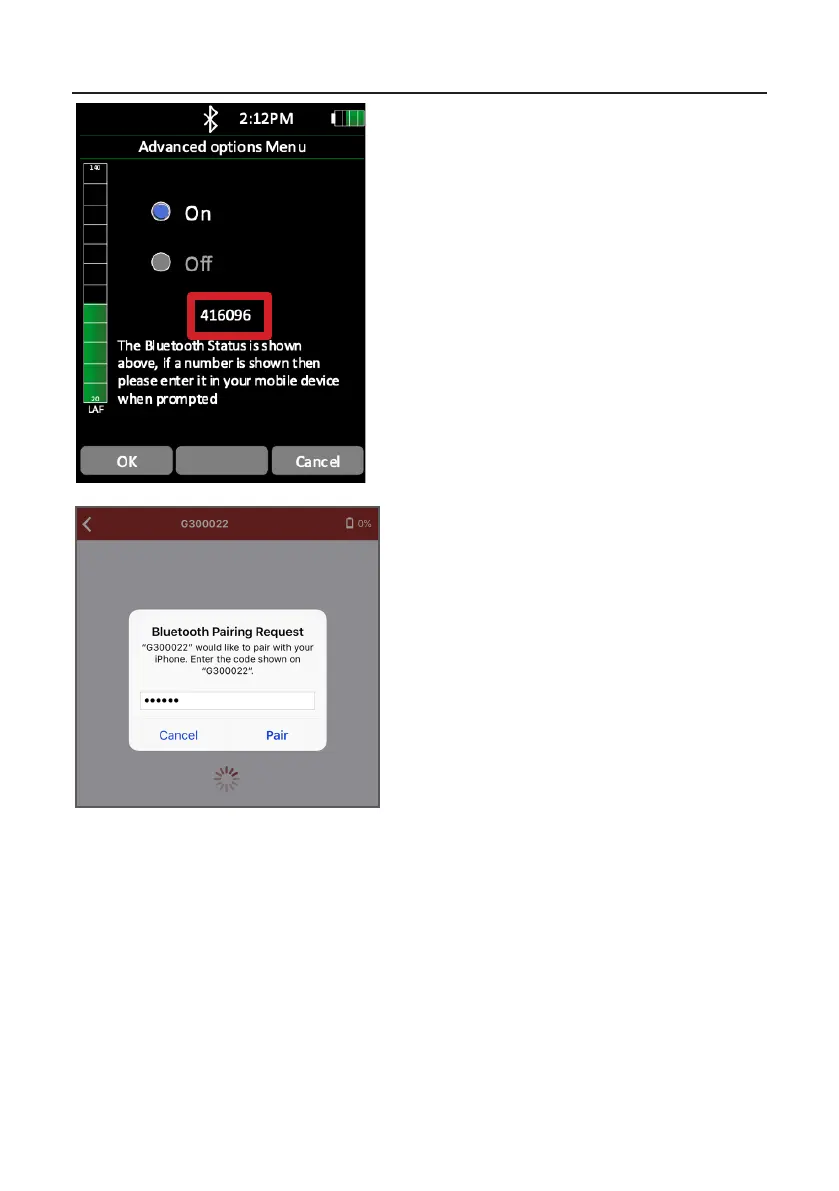
Enter the code from your Opmus+ into your
mobile device and press ‘Pair’.
Before your Opmus+ can connect to your
mobile device, you will be asked to input a code
that will be displayed on the Bluetooth menu
screen.
Your Opmus+ will now be paired with your mobile device. You will see the default home
screen on the dBAcve app, which displays live noise measurement informaon. From this
screen, you will be able to navigate around the app, which will be described in the coming
pages.


 To Next Page