Optimus sound level meter - Bluetooth and dBActive quick start guide
13
2.5 Viewinginformaonaboutyourinstrument
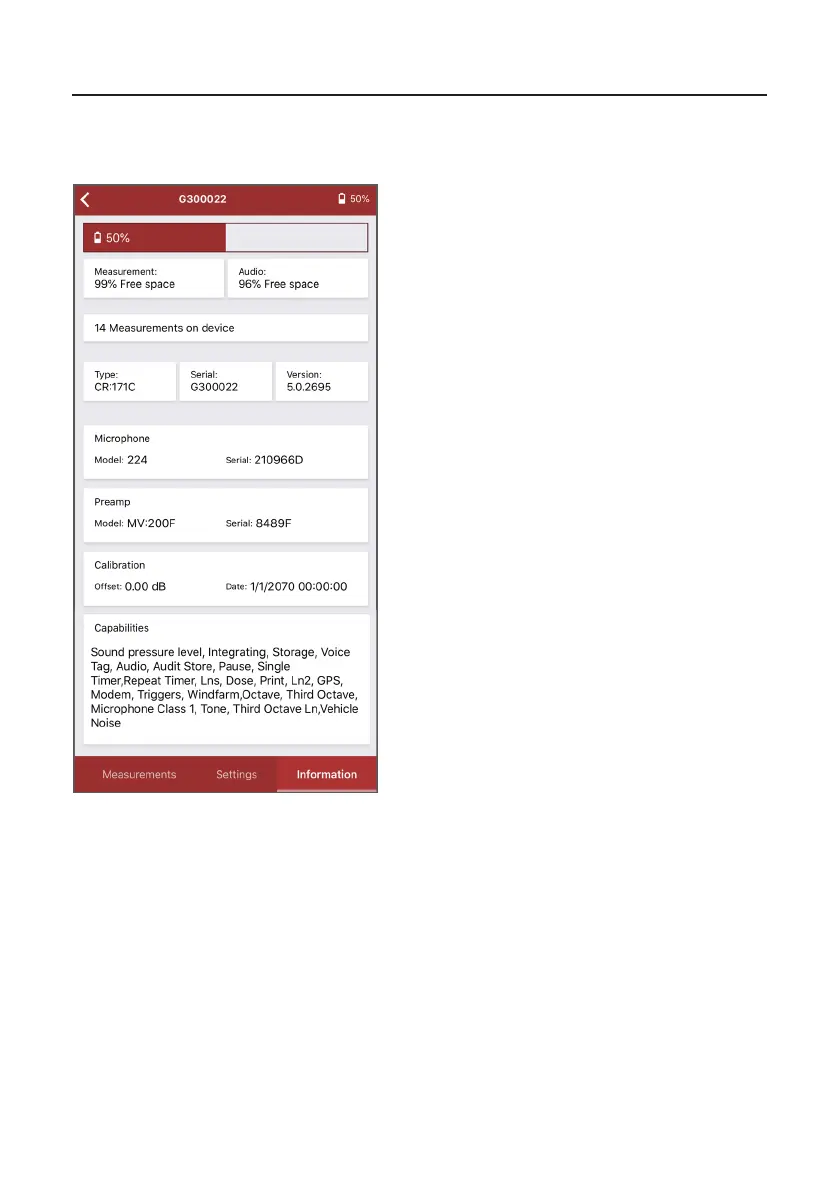
The last screen in dBAcve displays informaon about your Opmus+ instrument.
a. current baery level
b. % free space for measurement data
c. % free space for audio recordings
d. number of measurements saved on your
instrument
e. your instrument’s type
f. unique serial number for your instrument
g. rmware version installed on your
instrument
h. microphone informaon (model and serial
number)
i. preamplier informaon (model and serial
number)
j. oset value based on the last calibraon of
your instrument and the date/me it was
last calibrated
k. full list of capabilies/features of your
instrument
a
b
c
d
e
f
g
h
i
j
k


 To Next Page