- 20 -
3. INSTRUCTIONS FOR USE
Operating the internal button
To open the door
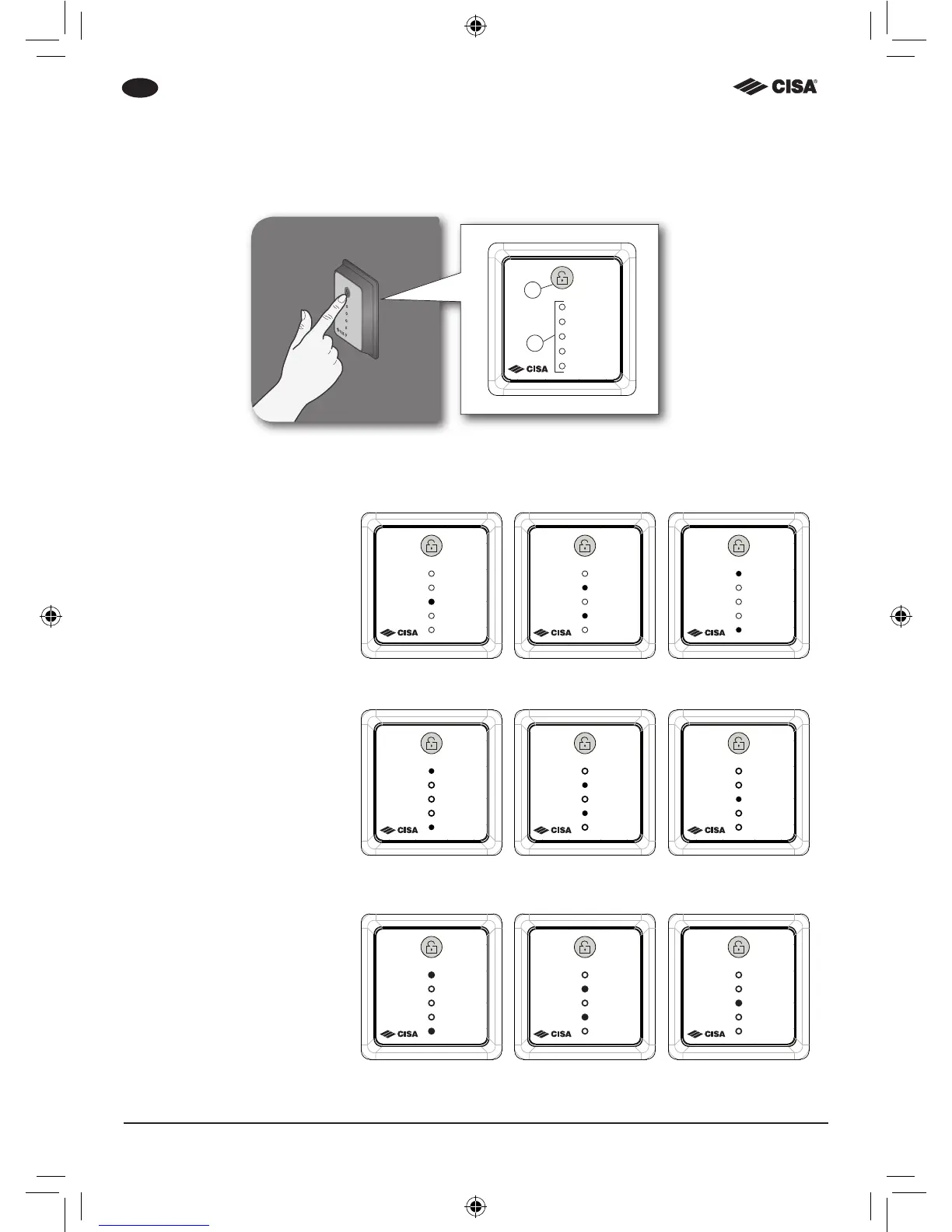
1. Press the button. The LEDs
will ash twice in sequence
as shown in the gure;
2. If the operation is success-
fully completed, the LEDs
will go off, otherwise they
will ash 10 times.
x2
To close the door – Automatic mode
1. The lock deadlocks auto-
matically. The LEDs will
ash twice in sequence as
shown in the gure;
2. If the operation is success-
fully completed, the LEDs
will go off, otherwise they
will ash 10 times.
x2
To close the door – Semi-automatic mode
1. Hold the button down for
3 seconds. The LEDs will
ash twice in sequence as
shown in the gure;
2. If the operation is success-
fully completed, the LEDs
will go off, otherwise they
will ash 10 times.
x2
X= Button
Y= Led



 To Next Page