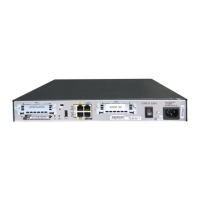
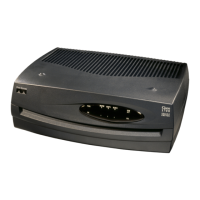
Need help?
Do you have a question about the Cisco 1800 Series and is the answer not in the manual?
Location of the serial number label on the router chassis.
Tool to find serial numbers and identify Cisco products.
Information on accessing complete platform documentation and other guides.
General instructions for router setup.
Steps for wall mounting the router.
Steps for desktop placement of the router.
Procedures for connecting the router chassis to earth ground.
Details on various WAN and LAN port connections and cable types.
Steps to ensure the router is ready before powering on.
Step-by-step guide to power up and verify router initialization.
Explanation of front panel LED indicators for status and activity.
Commands to check the router's hardware configuration details.
Guide to configuring the router using the SDM software.
Guide to initial router configuration via the setup command facility.
Steps for manual router configuration using the command-line interface.
Procedures to verify the successful completion of initial router configuration.
Instructions for accessing Cisco router and IOS software documentation online.
Information on accessing Cisco's online support resources and tools.
How to open a service request for technical support.
The Cisco 1800 Series Integrated Services Router (Modular) is a versatile networking device designed for small to medium-sized businesses and enterprise branch offices, offering a comprehensive suite of functions for data, security, and voice services. This Quick Start Guide provides essential information for its installation, initial power-up, and basic configuration, ensuring users can quickly integrate the router into their network infrastructure.
At its core, the Cisco 1800 series, specifically the Cisco 1841 router, functions as a data-only router, providing robust routing capabilities for various network environments. It supports a range of interface cards, including WAN Interface Cards (WICs), Voice/WAN Interface Cards (VWICs) in data mode only, single-wide High-Speed WAN Interface Cards (HWICs), and Advanced Integration Modules (AIMs). The router is equipped with two WIC/VWIC/HWIC slots, allowing for flexible expansion and adaptation to specific network requirements. This modularity enables the integration of different WAN technologies, such as T1/E1, DSL, BRI S/T, BRI U, analog modem, and 56/64-kbps CSU/DSU, facilitating diverse connectivity options. Additionally, it features two onboard Fast Ethernet LAN interfaces, providing high-speed local network connectivity. The router's design emphasizes secure connectivity, supporting various security features to protect network data and access. It is capable of running Cisco IOS software, which offers a rich set of networking protocols and services for efficient data management and traffic control. The device is intended to be a central component for establishing secure and reliable network connections, managing data flow, and supporting various network applications.
The Cisco 1800 series router is designed for ease of deployment and management, catering to both novice and experienced network administrators. For initial setup, the router offers two primary configuration methods: the Cisco Router and Security Device Manager (SDM) and the command-line interface (CLI) with a setup command facility. The SDM provides a graphical user interface (GUI) that simplifies configuration tasks, making it accessible for users who prefer a visual approach. This tool guides users through the process of setting up basic network parameters, security features, and interface configurations. Alternatively, for users familiar with Cisco IOS, the CLI offers granular control over every aspect of the router's operation, allowing for advanced and customized configurations. The setup command facility within the CLI provides a guided interactive dialog for initial configuration, prompting users for essential information like hostname, passwords, and interface IP addresses.
The router's physical design supports flexible deployment options, allowing it to be either wall-mounted or placed on a desktop. Wall-mounting instructions are provided, detailing the use of screws and proper orientation for safe and effective use. For desktop placement, the router is shipped with rubber feet, and guidelines are given to ensure adequate airflow for cooling. The front panel includes LED indicators that provide immediate visual feedback on the router's status, including power, system activity, CompactFlash memory activity, and link status for Fast Ethernet interfaces. These LEDs help users quickly ascertain the operational state of the device and troubleshoot basic connectivity issues. The console, auxiliary, and USB ports offer various means for system management and peripheral connections. The console port, typically connected to a PC with terminal emulation software, is crucial for initial configuration and direct management. The auxiliary port allows for remote modem access, enabling out-of-band management. USB ports are available for future use with approved Cisco USB devices, indicating potential for expanded functionality.
Maintaining the Cisco 1800 series router involves several key aspects, primarily focusing on hardware integrity, software updates, and diagnostic capabilities. The Quick Start Guide emphasizes the importance of proper grounding for the chassis, detailing a step-by-step procedure for connecting the router to a reliable earth ground using a ring terminal and a 14 AWG ground wire. This is a critical safety and operational measure to prevent electrical hazards and ensure stable performance. The guide also provides warnings regarding ESD damage during handling of internal components, recommending the use of grounding wrist straps.
For hardware maintenance, the modular design of the router allows for the installation and replacement of various interface cards (WICs, VWICs, HWICs) and modules (AIMs). While the Quick Start Guide covers basic installation, it directs users to more detailed online hardware installation documentation for comprehensive instructions on installing and removing these components. This ensures that users can upgrade or replace parts as needed, extending the router's lifespan and adapting it to evolving network demands. The router's CompactFlash memory card is also a key component, and instructions are provided to ensure it is properly seated. A caution is included to prevent damage to the ejector mechanism when handling the CompactFlash card.
Software maintenance is facilitated through the Cisco IOS operating system. The guide mentions commands like show version and show diag, which are essential diagnostic tools for verifying the hardware configuration, installed software version, memory status, and details about installed modules and interface cards. These commands are invaluable for troubleshooting and confirming the correct operation of the router's components. The documentation also highlights the importance of saving configurations to NVRAM using the copy running-config startup-config command to prevent loss of work. For ongoing support and access to updated documentation, software, and technical assistance, the guide directs users to Cisco.com, providing URLs for platform documentation, Cisco IOS software documentation, Feature Navigator II, and the Cisco Technical Support Website. This comprehensive support structure ensures that users have access to the resources needed for effective long-term maintenance and troubleshooting of their Cisco 1800 series router.
 General
| Category | Network Router |
|---|---|
| Performance | Varies by model |
| Form Factor | Desktop |
| Connectivity Technology | Wired |
| Remote Management Protocol | SNMP, Telnet, HTTP, HTTPS |
| Dimensions | Varies by model |
| Weight | Varies by model |
| Model | 1800 Series |
| Interfaces | Ethernet, Fast Ethernet, Serial, ISDN |
| Routing Protocols | RIP, OSPF, EIGRP, BGP |
| Security | Firewall, VPN, ACLs |
| Data Link Protocol | Ethernet, Fast Ethernet, Serial, Frame Relay |
| Network / Transport Protocol | TCP/IP |
| Features | Quality of Service (QoS), VLAN support, DHCP server |
| RAM | Varies by model |
| Flash Memory | Varies by model |
| Power Supply | Internal AC power supply |
| Operating Temperature | 0 to 40 °C (32 to 104 °F) |
| Storage Temperature | -4°F to 149°F (-20°C to 65°C) |

 To Next Page