Cisco 7000 Front Chassis Panel and LED Board and Replacement 3
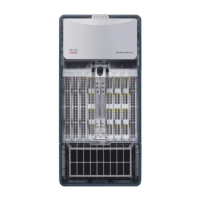
Figure 1 Chassis Top Front Panel, Shown with Bottom Front Panel Removed
The chassis panels provide shielding against electromagnetic interference (EMI) and
work with the blower and air filter to maintain a constant flow of cooling air through
the chassis. Replace the chassis panels if they become warped or broken.
LED Board Description
The LED board contains the three LEDs that report system software (Normal) and
power supply (Upper Power and Lower Power) status through semi-opaque panels on
the front of the chassis. Figure 2 shows the three system status indicators.
Figure 2 System Status Indicators (Front-Panel LEDs)
UPPER
POWER
LOWER
POWER
NORMAL
Cisco 7000
H1336a
Captive screws
FrameFilter
(gray)
UPPER
POWER
LOWER
POWER
NORMAL
Cisco 7000
UPPER
POWER
LOWER
POWER
NORMAL
H1407a













 To Next Page