• http://www.plantronics.com
• http://www.jabra.com
• http://www.jawbone.com
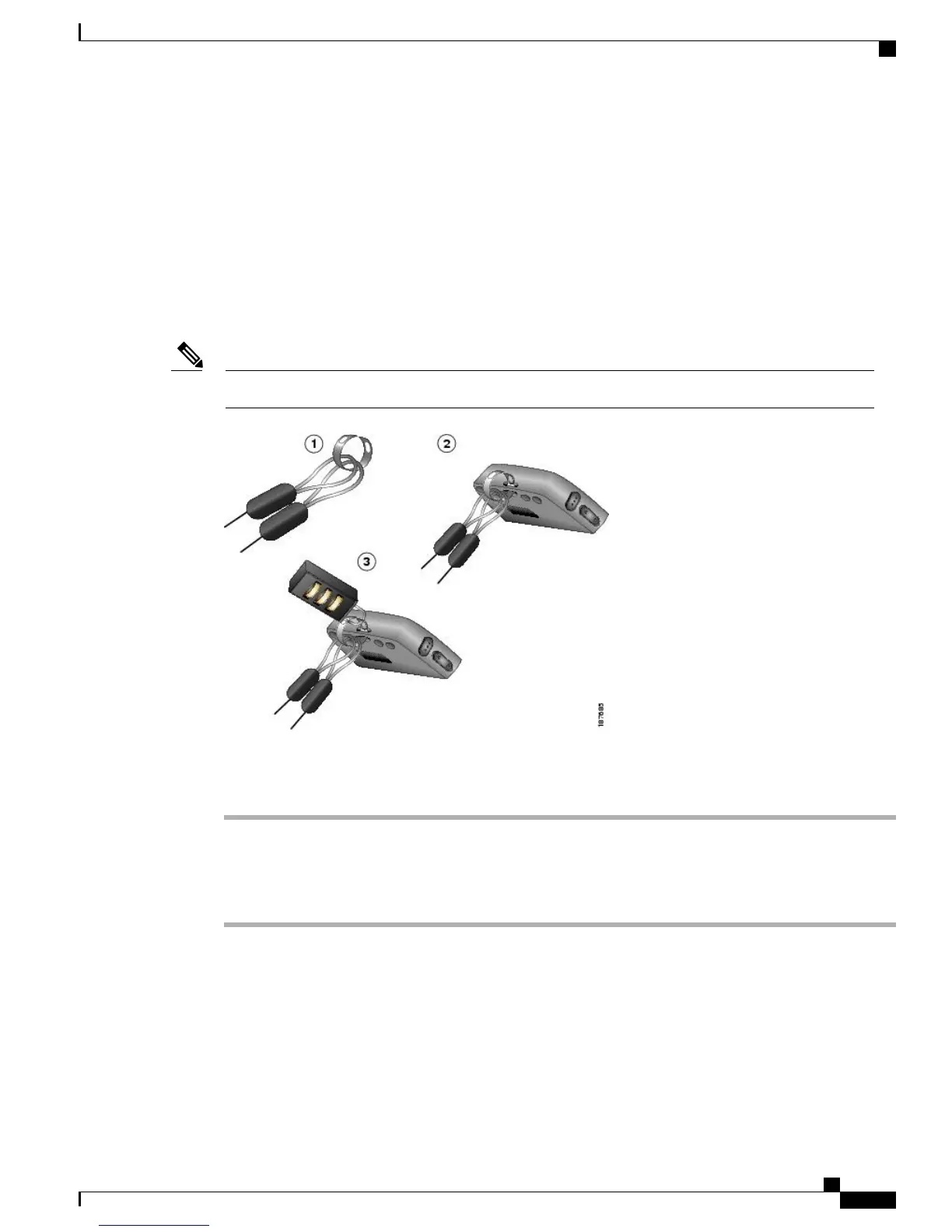
Secure Phone with Lock Set and Cable Lock
You can secure the phone to a desktop by ordering the lock set from Cisco. For more information, see the
Cisco Unified Wireless IP Phone 7925G, 7925G-EX, and 7926G Accessory Guide.
The lock set does not include the cable lock.Note
Procedure
Step 1
Put the security cable around a post or through a hole in the desktop. Insert the loops at the ends of the security
cable through the C-ring.
Step 2
Insert the C-ring with cable loops through the slot on back of phone.
Step 3
Use the combination lock to secure the ends of the C-ring around the cable loops and phone.
Cisco Unified Wireless IP Phone 7925G, 7925G-EX, and 7926G User Guide
11
Phone Installation
Secure Phone with Lock Set and Cable Lock


 To Next Page