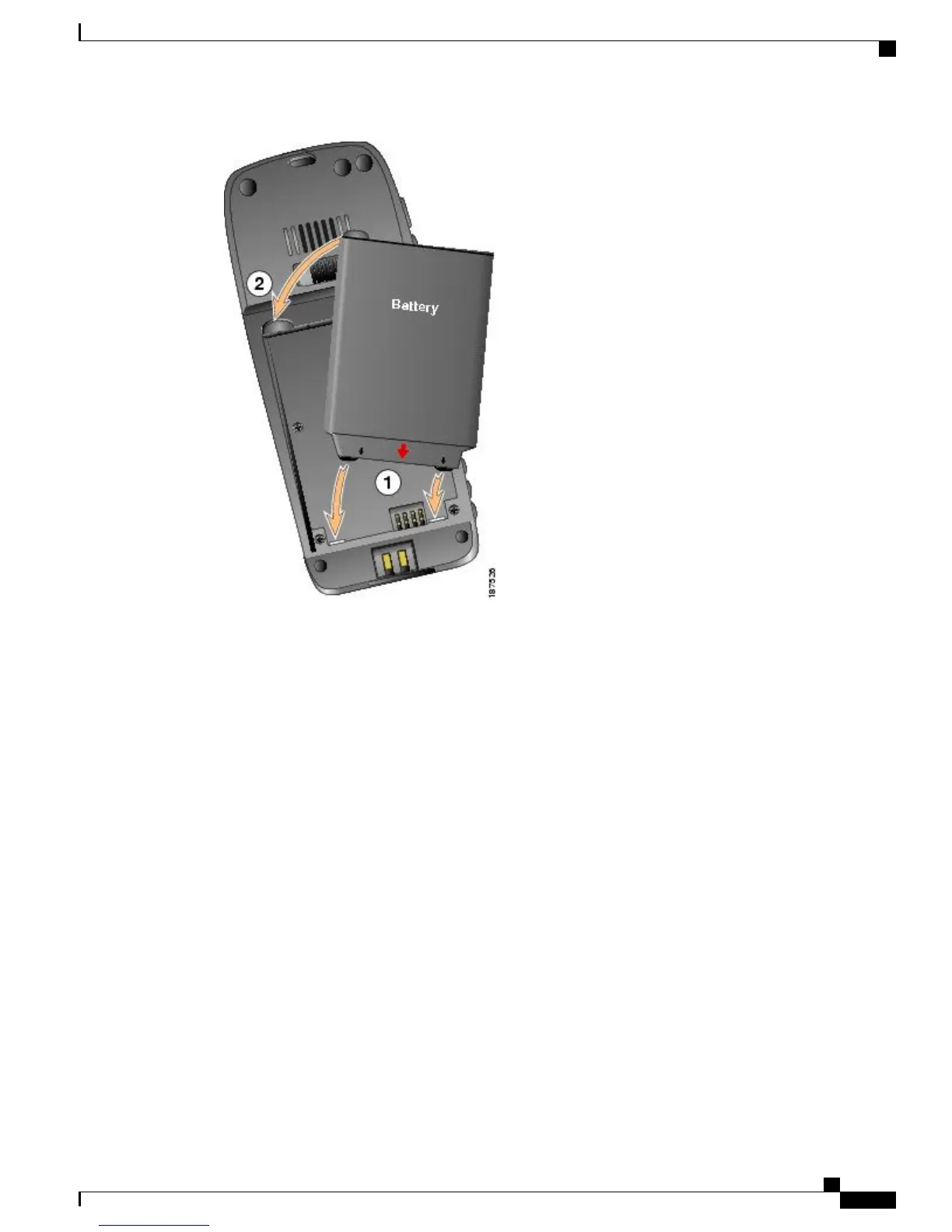
a) Align battery to the bottom of the battery compartment, making sure that the metal contacts on the phone
and battery face each other.
b) Press the battery into the battery compartment until it locks into place. Make sure that it lines up with the
phone.
Step 3
To replace the phone cover, follow the steps in the following figure.
Cisco Unified Wireless IP Phone 7925G, 7925G-EX, and 7926G User Guide
3
Phone Installation
Install Phone Battery



 To Next Page