2
Access Point Mounting Instructions
OL-166451-01
Mounting Hardware
Mounting Brackets
Two mounting brackets are available:
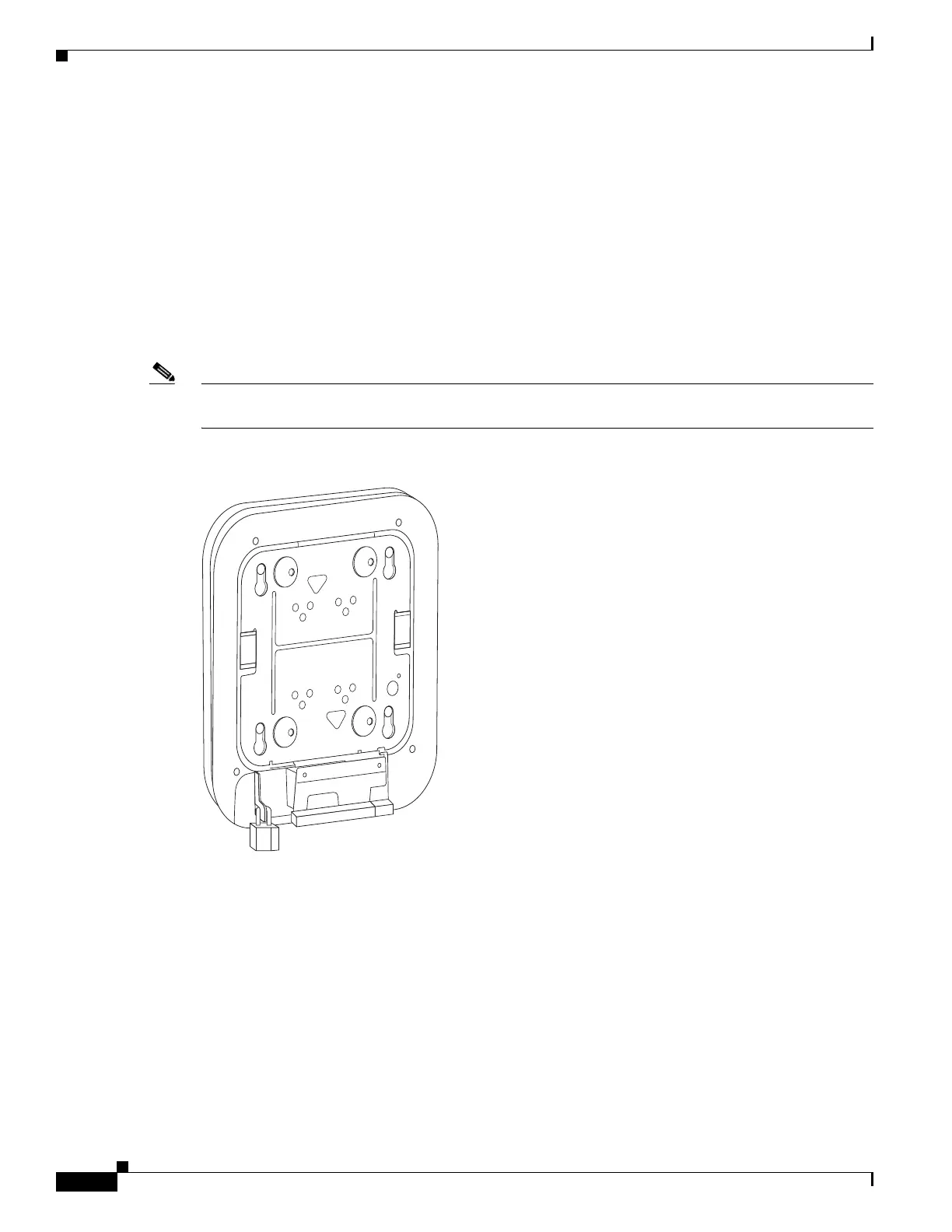
• The low-profile bracket (AIR-AP-BRACKET-1), which provides a tight fit between the access point
and the ceiling but does not accommodate network/electrical box or wall mounting. Figure 1 shows
the low-profile bracket installed on an access point.
• The universal bracket (AIR-AP-BRACKET-2), which is versatile (it works with electrical boxes, can
be used for wall mounting, and adapts to ceiling installations) but leaves a larger gap between the
mounting surface and the access point than the low-profile bracket. The larger gap is necessary in
some locations because it allows space for cable routing. Figure 2 shows the universal bracket
installed on an access point.
Note The AP1130 ships with a specialized bracket. The information presented here on brackets does not apply
to the AP1130.
Figure 1 Low-Profile Mounting Bracket Installed on an Access Point
272380


 To Next Page