EasyManua.ls Logo

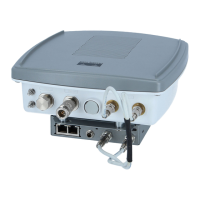
Cisco AIR-BR1310G-A-K9 - Aironet 1310 Outdoor Access Point/Bridge - User Manual

Cisco AIR-BR1310G-A-K9 - Aironet 1310 Outdoor Access Point/Bridge
118 pages
Print Icon
To Next Page IconTo Next Page
Loading...
Corporate Headquarters
Cisco Systems, Inc.
170 West Tasman Drive
San Jose, CA 95134-1706
USA
http://www.cisco.com
Tel: 408 526-4000
800 553-NETS (6387)
Fax: 408 526-4100
Cisco Aironet 1300 Series Wireless
Outdoor Access Point/Bridge
Hardware Installation Guide
December 2006
Text Part Number: OL-5048-06

Table of Contents

Question and Answer IconNeed help?

Do you have a question about the Cisco AIR-BR1310G-A-K9 - Aironet 1310 Outdoor Access Point/Bridge and is the answer not in the manual?

Summary

Chapter 1 Overview

Key Features

Summarizes the main features of the Cisco Aironet 1300 Series access point/bridge.

Chapter 2 Installation Overview

Safety Warnings

Crucial safety instructions and warnings for all installation scenarios.

Installation Guidelines

Best practices for installing the access point for optimal performance.

Chapter 3 Mounting Overview

Mounting the Access Point;Bridge

General overview of mounting the access point/bridge on various surfaces.

Chapter 4 Troubleshooting Autonomous Access Points and Bridges

Checking the LEDs on an Autonomous Access Point;Bridge

Interpreting LED indicators for troubleshooting autonomous access points.

Checking Power

Steps to verify power availability to the access point/bridge.

Resetting the Autonomous Access Point;Bridge to the Default Configuration

How to restore the device to its factory default settings.

Chapter 5 Troubleshooting Lightweight Access Points

Manually Configuring Controller Information Using the Access Point CLI

Manual controller configuration via CLI when DHCP fails.

APPENDIX C Access Point Specifications

Access Point, Power Injector, and Power Module Specifications

Detailed technical specifications for all components.

APPENDIX G Configuring DHCP Option 43 for Lightweight Access Points

Summary

Chapter 1 Overview

Key Features

Summarizes the main features of the Cisco Aironet 1300 Series access point/bridge.

Chapter 2 Installation Overview

Safety Warnings

Crucial safety instructions and warnings for all installation scenarios.

Installation Guidelines

Best practices for installing the access point for optimal performance.

Chapter 3 Mounting Overview

Mounting the Access Point;Bridge

General overview of mounting the access point/bridge on various surfaces.

Chapter 4 Troubleshooting Autonomous Access Points and Bridges

Checking the LEDs on an Autonomous Access Point;Bridge

Interpreting LED indicators for troubleshooting autonomous access points.

Checking Power

Steps to verify power availability to the access point/bridge.

Resetting the Autonomous Access Point;Bridge to the Default Configuration

How to restore the device to its factory default settings.

Chapter 5 Troubleshooting Lightweight Access Points

Manually Configuring Controller Information Using the Access Point CLI

Manual controller configuration via CLI when DHCP fails.

APPENDIX C Access Point Specifications

Access Point, Power Injector, and Power Module Specifications

Detailed technical specifications for all components.

APPENDIX G Configuring DHCP Option 43 for Lightweight Access Points

Cisco AIR-BR1310G-A-K9 - Aironet 1310 Outdoor Access Point/Bridge Specifications

General IconGeneral
BrandCisco
ModelAIR-BR1310G-A-K9 - Aironet 1310 Outdoor Access Point/Bridge
CategoryWireless Access Point
LanguageEnglish

Related product manuals