17
Step 2 Configure your terminal or PC terminal emulation software for 9600 baud, 8 data bits, no parity, and 2 stop bits. To
configure the console port, refer to the
Cisco AS5350 and Cisco AS5400 Universal Gateway Software Configuration
Guide
.
Connect to Ethernet Network
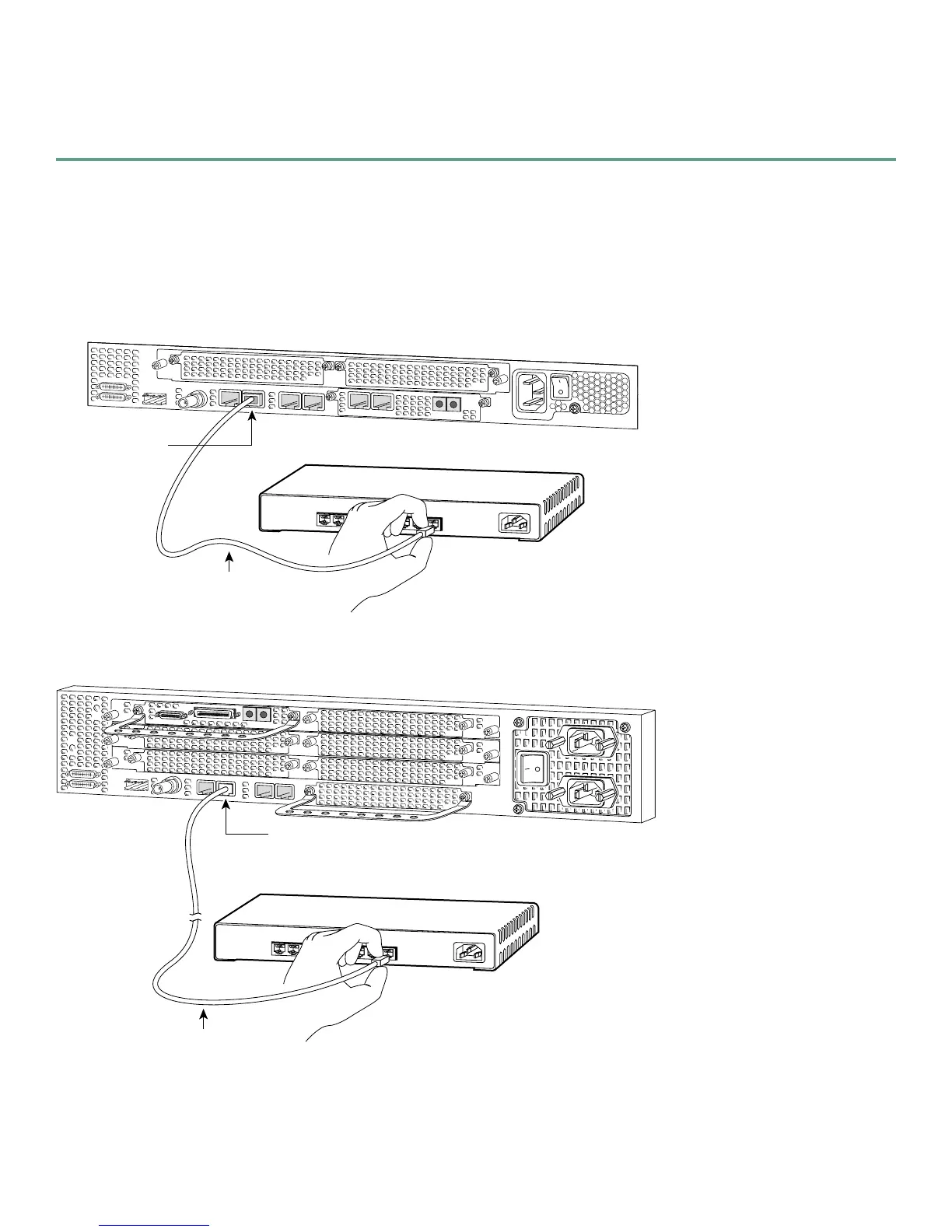
• Connect the universal gateway to an Ethernet network by using a straight-through RJ-45-to-RJ-45 Ethernet cable to connect
the Fast Ethernet port to an Ethernet hub.
Connecting Cisco AS5350 to Ethernet Hub
Connecting Cisco AS5400 to Ethernet Hub
35670
8
7
1
Ethernet hub
Straight-through
Ethernet cable
FE1
10/100BASE-T port
(RJ-45)
30849
8
7
1
Ethernet hub
Straight-through
Ethernet cable
FE1
10/100BASE-T port
(RJ-45)













 To Next Page