DETAILED STEPS
Step 1
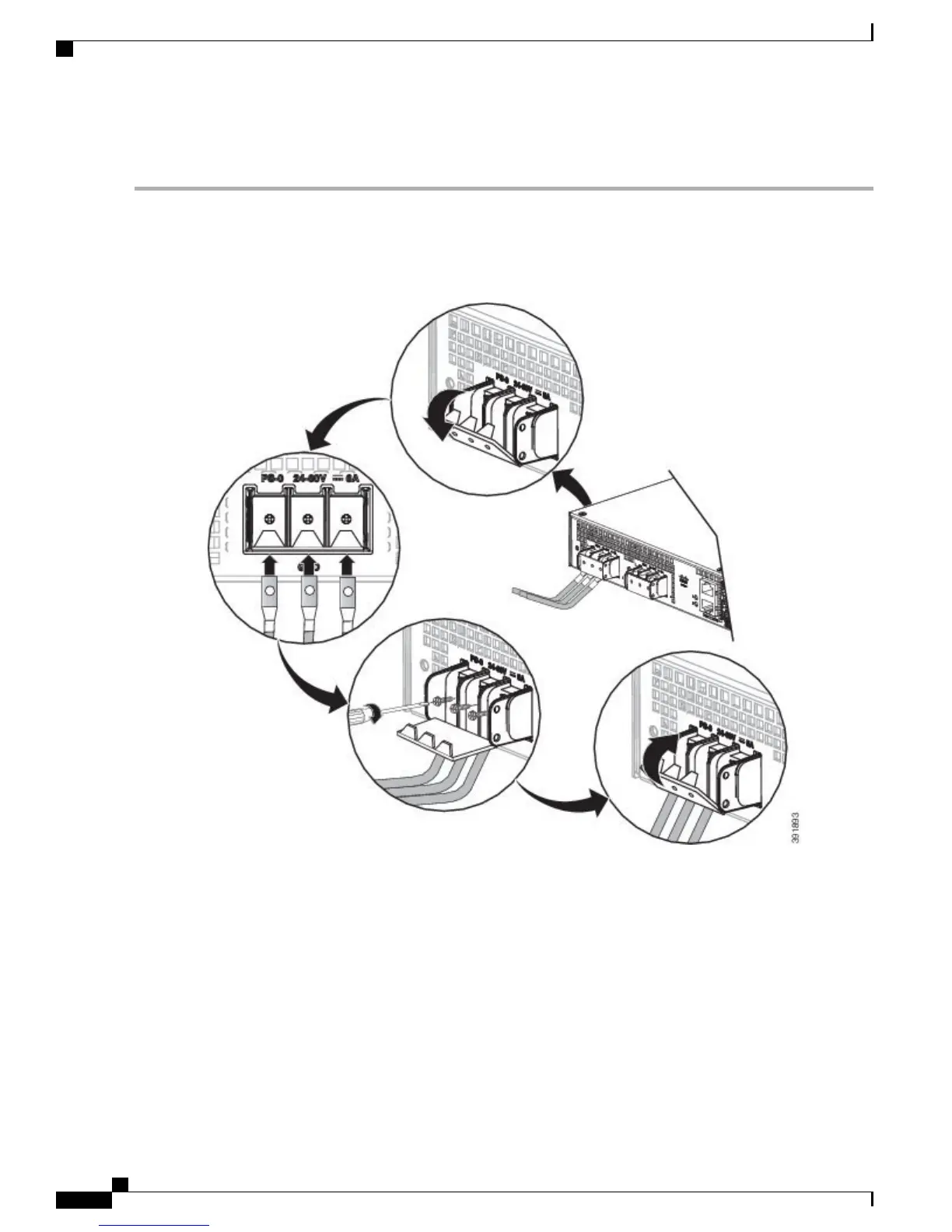
Open the DC power supply guard.
Step 2
Attach the DC supply wires in the designated screws. See the figure below.
Figure 15: Using the DC Power Supply Guard
Figure 16: Attaching the DC Power Supply
Cisco ASR 920 Series Aggregation Services Router Hardware Installation Guide
18
Installing the Cisco ASR 920 Series Router
Install the DC Power Supply


 To Next Page
 Loading...