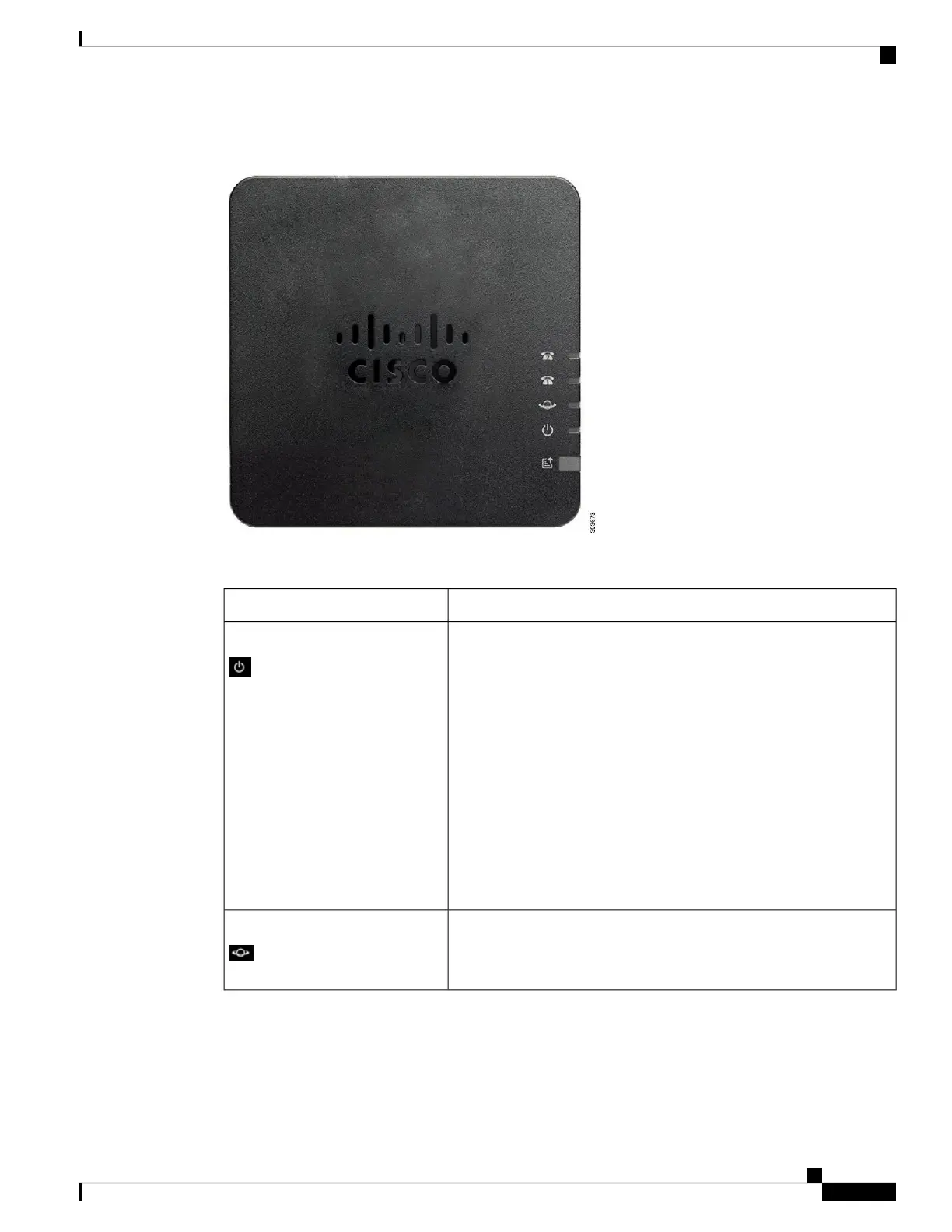
Figure 1: ATA 191 and ATA 192 Top Panel
Table 1: ATA 191 and ATA 192 Top Panel Items
DescriptionItem
Steady green: System booted up successfully and is ready for use.
Slow flashing green: System is booting up.
Fast flashing green three times, then repeats: System failed to boot
up.
Fast flashing green: The LED behaviour occurs in the following
situations:
• System detects a factory reset.
To perform a factory reset, press and hold the RESET button for
about 10 seconds.
• A factory reset is performed successfully.
Off: Power is off.
Power LED
Flashing green: Data transmission or reception is in progress through
the WAN port.
Off: No link.
Network LED
Cisco ATA 191 and ATA 192 Analog Telephone Adapter User Guide for Multiplatform Firmware
3
Your ATA
ATA 191 and ATA 192 Top Panel











 To Next Page