23
Catalyst 2960-S Switch Getting Started Guide
OL-19793-02
Catalyst 2960-S Switch Getting Started Guide
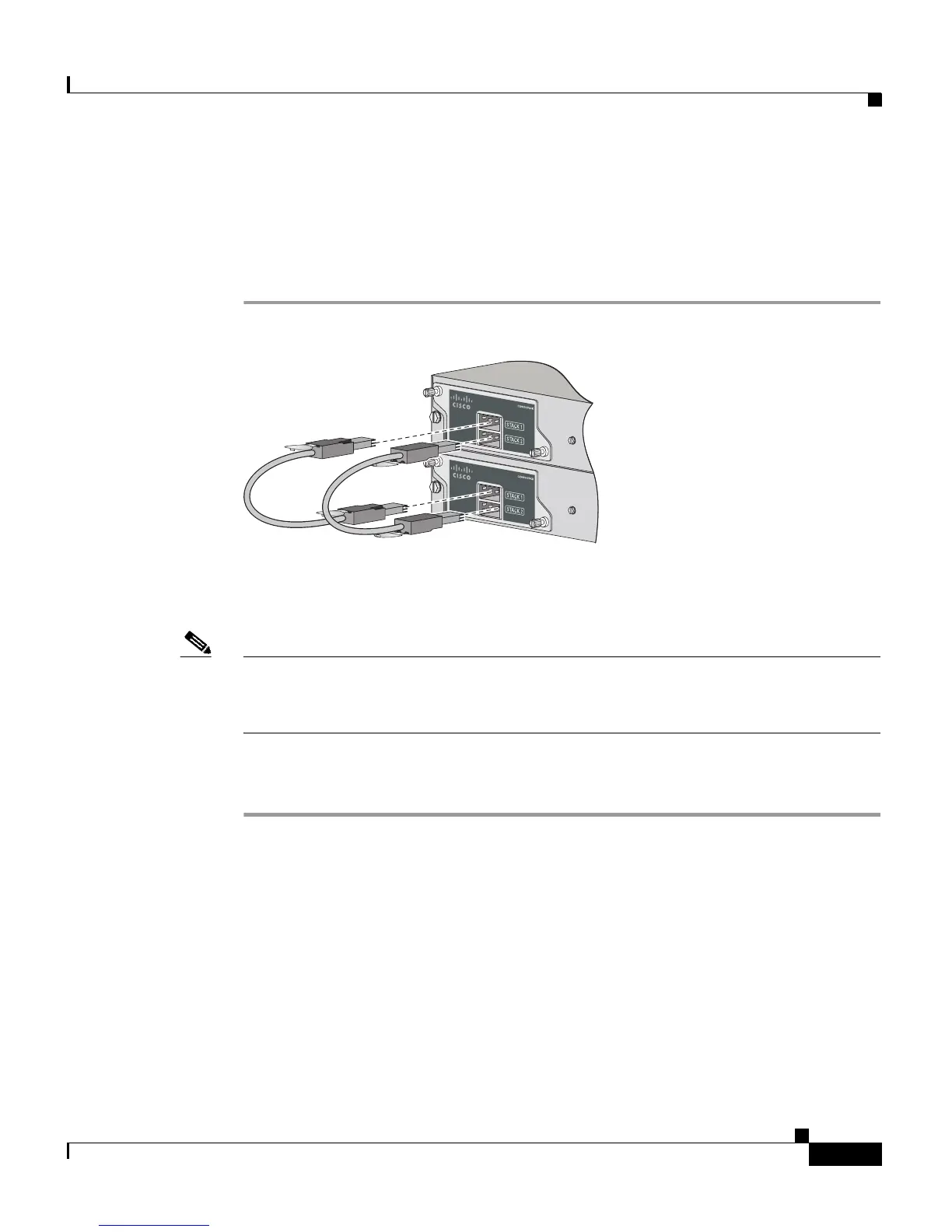
Connecting the FlexStack Cables
Always use a Cisco-approved FlexStack cable to connect the switches. Connect
only Catalyst 2960-S switches in a switch stack.
Step 1 Remove the dust covers from the FlexStack cables, and store them for future use.
Step 2 Insert one end of the FlexStack cable into the stack port of the first switch. Insert
the other end of the cable into the stack port on the other switch.
Note When you connect the FlexStack cable into the STACK 1 port, the tab should be
above the connector. When you connect the FlexStack cable into the STACK 2
port, you should invert the cable so that the tab is below the connector.
Step 3 Replace the dust covers when you remove the FlexStack cables from the
connectors.
Removing and installing the FlexStack cable can shorten its useful life. Do not
remove and insert the cable more often than is absolutely necessary.
206235











 To Next Page