7
Follow these steps to install the switch module in the blade server:
Step 1 If you have not already done so, touch the static-protective package that contains the switch
module to an unpainted metal part of the blade server for at least 2 seconds.
Step 2 Remove the switch module from its static-protective package.
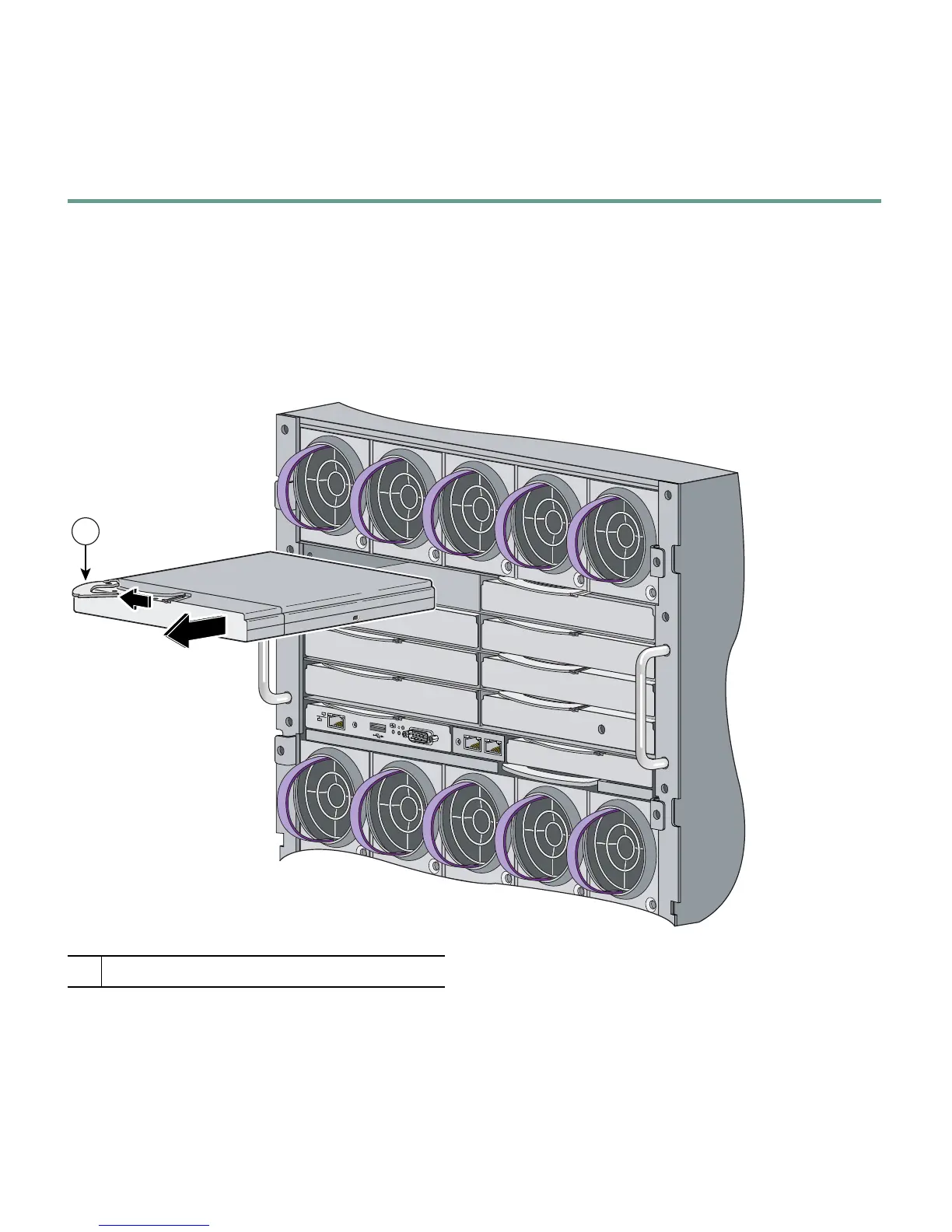
Step 3 Remove the interconnect blank from the bay where you plan to install the switch module, if
one is present, and install the switch module. (See Figure 3.)
Figure 3 Removing the Interconnect Module Blank from the Blade Server
1
Lever for the interconnect module blank
153142
1














 To Next Page