
 Need help?
Do you have a question about the Cisco CBS220-8P-E-2G and is the answer not in the manual?
Provides a general overview of the Cisco CBS 220 Series Switches and their capabilities.
Details the process and requirements for mounting the switch in a standard 19-inch rack.
Explains how to securely mount the switch to a wall using brackets or screws.
Provides step-by-step instructions for wall-mounting an 8-port switch using mounting screws.
Addresses Power over Ethernet (PoE) support and important considerations for its usage.
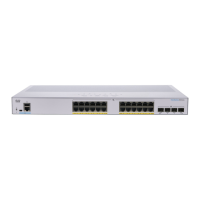
Describes the components, ports, and LEDs located on the front panel of the switch.
Details the status indicators (LEDs) on the switch, explaining their meaning and function.
Outlines the methods for configuring the switch, including web-based and console port access.
Guides users through accessing and configuring the switch via its web-based interface.
Provides instructions for configuring the switch through its command-line interface via a console port.
This document describes the Cisco CBS 220 Series Switch, an affordable smart switch designed to provide powerful network performance and reliability for business networks. These switches offer a comprehensive suite of network features, making them suitable for various business environments. They are expandable Gigabit Ethernet switches, featuring both Gigabit and 10-Gigabit uplinks, which allows for flexible network scaling and high-speed connections.
The Cisco CBS 220 Series Switches serve as the core networking component for small to medium-sized businesses, enabling the connection of various network devices such as computers, printers, IP cameras, VoIP phones, and wireless access points. They facilitate data transfer across the network, ensuring reliable communication and resource sharing. The switches support multiple management options, including a user-friendly web-based interface and a command-line interface (CLI) via a console port, catering to both novice and advanced users.
Many models within the CBS 220 Series support Power over Ethernet (PoE) and PoE+, allowing them to supply DC power to attached powered devices (PDs) directly through the Ethernet cable. This eliminates the need for separate power outlets for devices like VoIP phones and IP cameras, simplifying deployment and reducing cabling complexity. The PoE functionality is designed to detect and supply power to both standard and pre-standard legacy PoE PDs.
The switches are equipped with RJ-45 Ethernet ports for standard network connections and SFP+ ports (on some models) for fiber optic or high-speed copper connections to other switches or network devices. The SFP+ ports are compatible with various Cisco SFP 1G optical modules and Cisco SFP+ Copper Cable modules, offering versatility in uplink options.
The Cisco CBS 220 Series Switches are designed for ease of deployment and configuration. They can be installed in several ways:
Initial configuration of the switch can be done through two primary methods:
The front panel of the switch features various LEDs that provide visual status indicators for the device and its ports:
The Cisco CBS 220 Series Switches incorporate features that aid in maintenance and troubleshooting:
Overall, the Cisco CBS 220 Series Switches are designed to be robust, manageable, and secure, offering a reliable foundation for business networking needs with features that support both straightforward operation and advanced troubleshooting.



 To Next Page
 General