Need help?
Do you have a question about the Cisco MX250 and is the answer not in the manual?
Lists items included with the MX250 appliance, such as Ethernet cables and rack mounting kit.
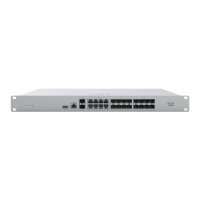
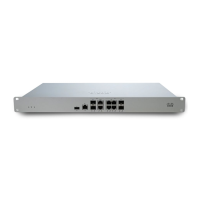
Describes the front panel layout of the MX250, including ports and indicators.
Explains the function of LEDs on the MX250 for status indication during power-on and operation.
Details the functionality of the reset button on the MX250, including brief and long presses.
Describes the included mounting hardware and installation considerations for rack mounting.
Provides general safety precautions for installing and operating the MX250 appliance.
Guides users on configuring basic network parameters using a static IP address for the MX250.
Explains the default DHCP configuration for WAN/ISP servers and how to establish connectivity.
Instructions for configuring VLAN tagging for WAN uplinks on trunk ports.
Details PPPoE authentication setup, required for DSL circuits, including credentials.
Describes how to enable and configure web proxy settings for the MX250 to contact the Cloud Controller.
Explains how to configure physical link settings like duplex mode and data rates for Ethernet ports.


 To Next Page
 General