Send document comments to nexus7k-docfeedback@cisco.com
2-16
Cisco Nexus 7000 Series Hardware Installation and Reference Guide
OL-23069-06
Chapter 2 Installing a Cisco Nexus 7009 Chassis
Installing the Chassis
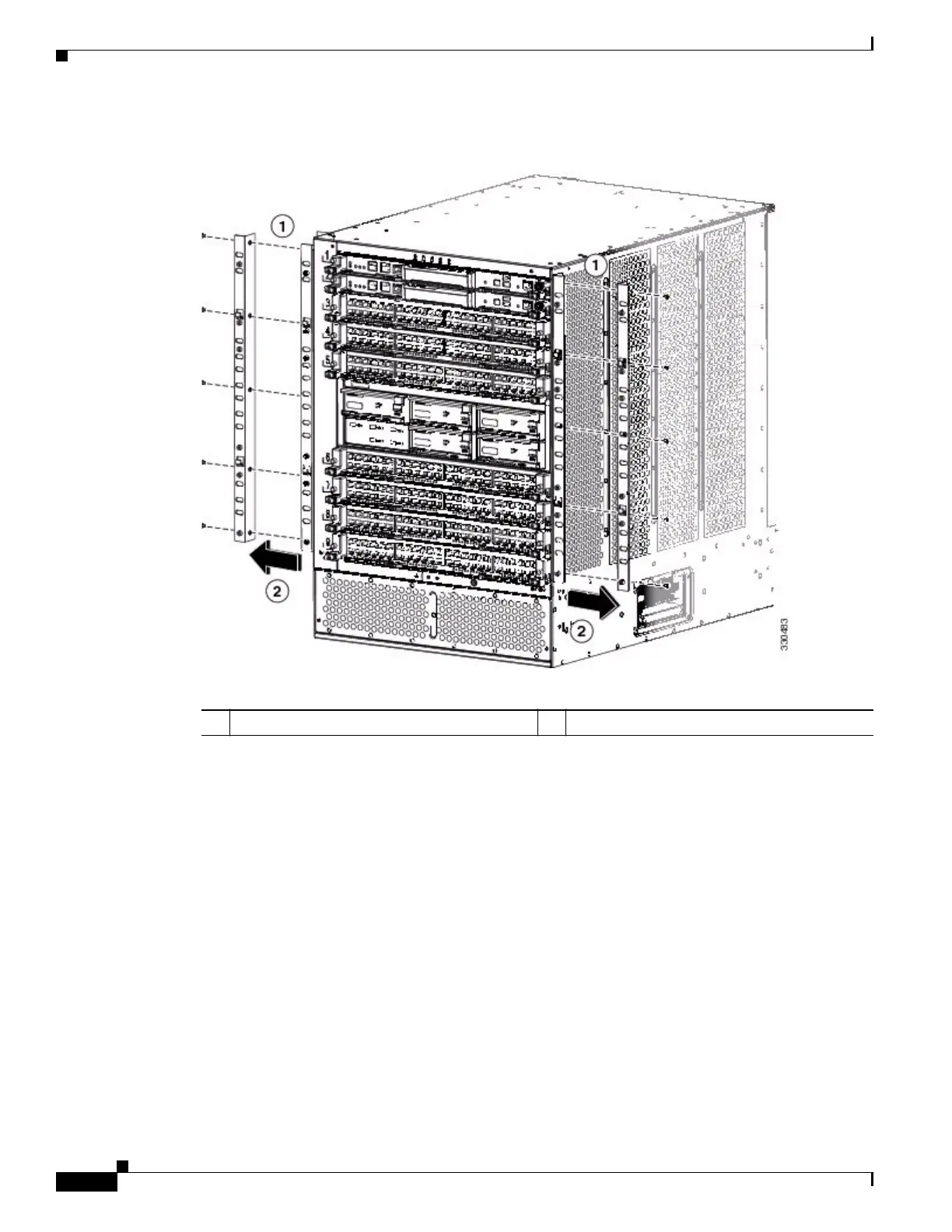
Figure 2-7 Removing the Front-Mount Brackets
b.
Position the center-mount bracket so that its five screw holes are aligned to the five screw holes used
for the front-mount bracket (see Figure 2-8).
1 Remove five screws from each bracket 2 Remove the bracket from the chassis










 To Next Page