Send document comments to nexus7k-docfeedback@cisco.com
3-19
Cisco Nexus 7000 Series Hardware Installation and Reference Guide
OL-23069-06
Chapter 3 Installing a Cisco Nexus 7010 Chassis
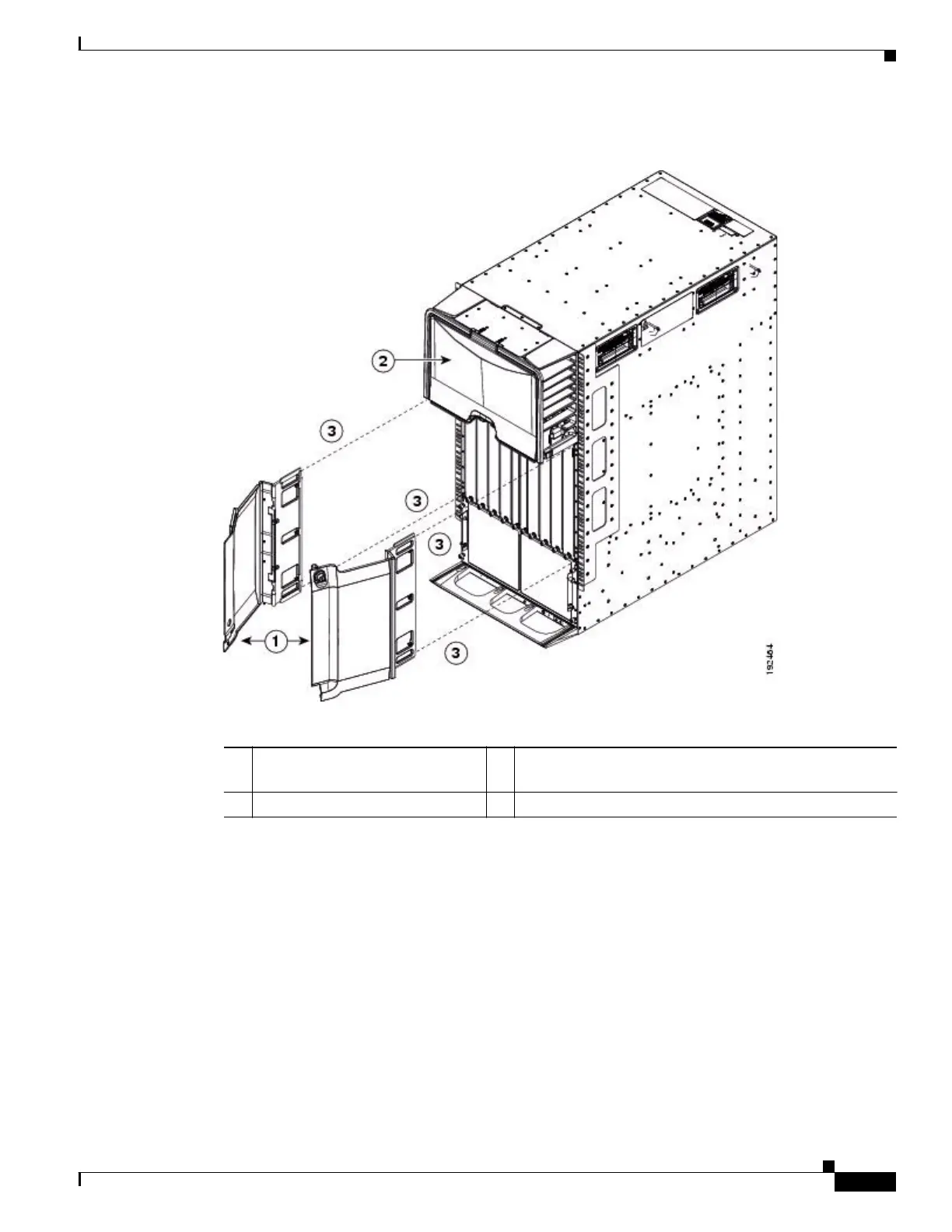
Installing the Front Doors and Frame Assembly
Figure 3-12 Installing the Front Doors
Step 3
Tighten three screws for each door frame (see Figure 3-13).
1 Front door frames. 3 Place door frame on front edge of chassis and
immediately under the cable management area.
2 Cable management area.










 To Next Page