8 Cisco Small Business NSS324 and NSS326 Smart Storage
STEP 4 Position the disk drive into a disk tray. The electrical connectors of
the disk drive must face toward the back of the drive tray.
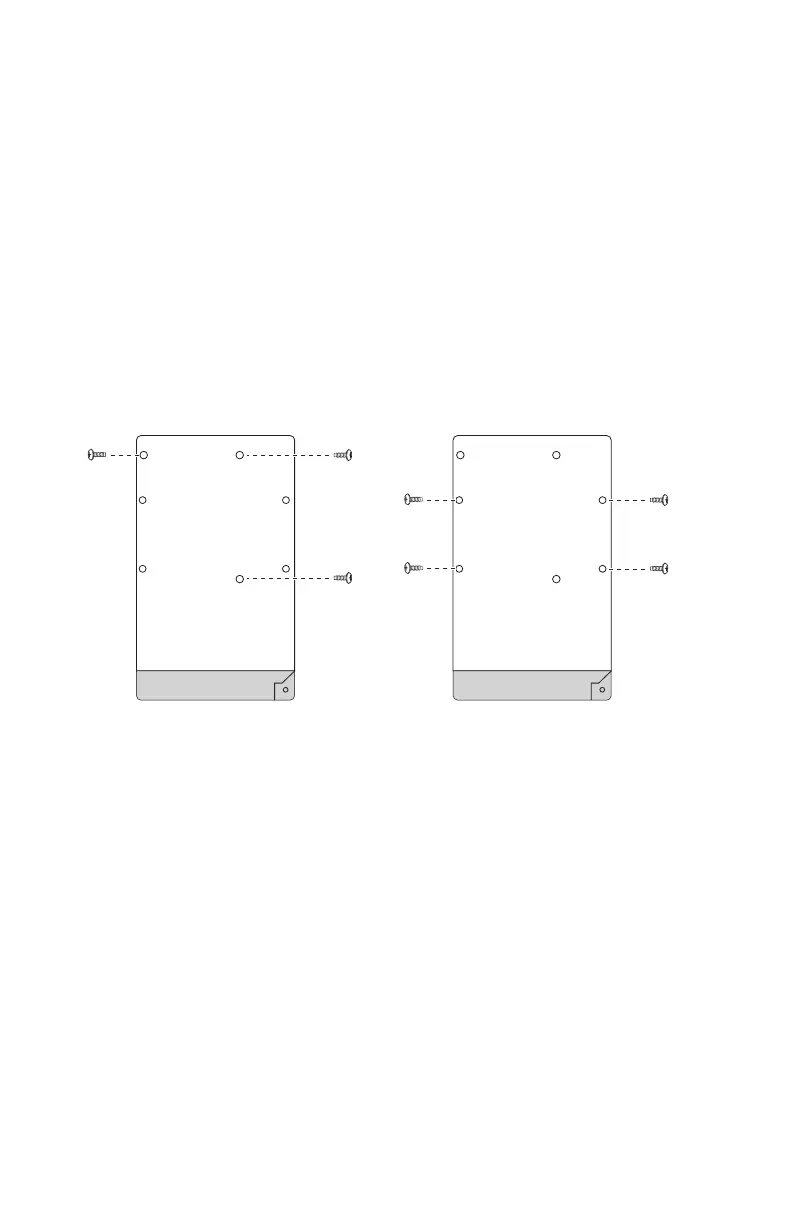
STEP 5 Attach the disk drive to the tray by inserting the disk drive screws
into the four holes at the bottom of the tray and tightening them
with a Phillips screwdriver.
NOTE Use the screws provided in the box with the device. Using
other screws can cause damage to your disk or disk tray.
There are clearly marked disk holes to accommodate the following
disk drives:
• 3.5-inch disk drive (use the included silver screws)
• 2.5-inch disk drive (use the included black screws)
STEP 6 Insert the tray back in the correct sequence into the empty bay of
the chassis.
NOTE Drive trays should not be swapped from slot to slot.



 To Next Page