Cisco Small Business NSS324 and NSS326 Smart Storage 7
Installing the Disk Drives
CAUTION When storing unused disk drives, do not stack multiple disk
drives because this can cause drive failures.
When installing the disk drives, follow the suggestions in
Cisco
Electrostatic Discharge and Grounding Best Practices
, located on the
product CD. Follow these steps to install disk drives in the NSS324 or
NSS326 NAS chassis.
STEP 1 Remove the contents of the NAS package from the box.
STEP 2 Place the chassis upright on a flat surface.
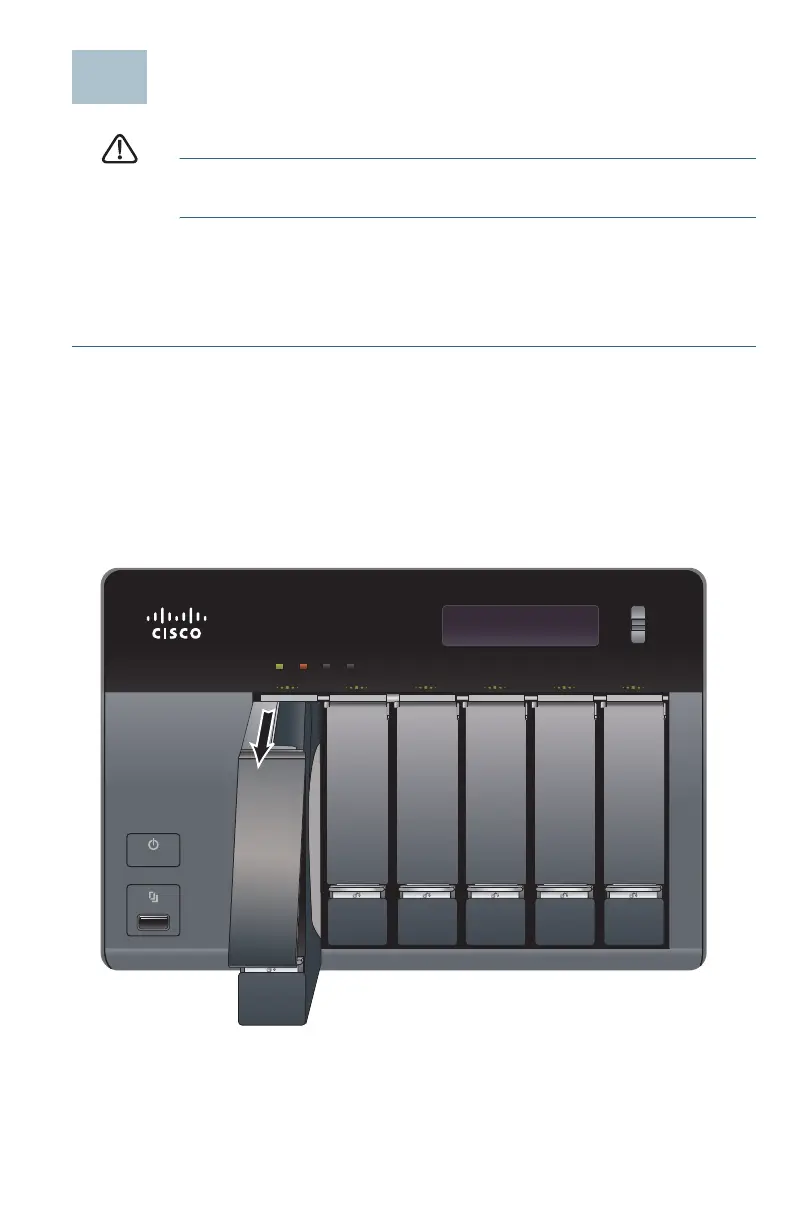
STEP 3 From disk bay 1, remove the disk tray.
To remove the disk tray, push the silver tab down to unlock the tray,
and push the lower tab to release the tray lever. Using the tray
lever, pull the tray out.
NOTE If your device has the disk drives already installed, continue to
the next section, Connecting the Equipment, page 11.
ENTER
277516
ENTER
SELECT
STATUS LAN USB eSATA
NSS 326
Smart Storage



 To Next Page