Cisco Quad Camera, Precision 60, SpeakerTrack 60, PTZ-12, and PTZ 4K Camera
D15296.12 Cisco Quad Camera, Precision 60, SpeakerTrack 60, PTZ-12, and PTZ 4K Camera JULY 2021.
Copyright © 2021 Cisco Systems, Inc. All rights reserved.
10
Camera guide
PTZ 4K Camera
Video
• HDMI is the main video source. The maximum resolution is
1920 x 1080 at 60 fps and 3840 x 2160 at 30 fps.
Power
• Power rating: 12 V
DC
, 3 A.
• Always use the provided cables and power adapter. Do NOT
use any other AC power adaptor.
Ethernet
For camera control.
Factory reset
A factory reset should only be performed by a system adminis-
trator or in contact with Cisco technical support.
For more information about the PTZ 4K setup, refer to:
Cisco Webex Room Kit Plus PTZ 4K installation guide
Cisco Webex Room Kit Pro PTZ 4K installation guide
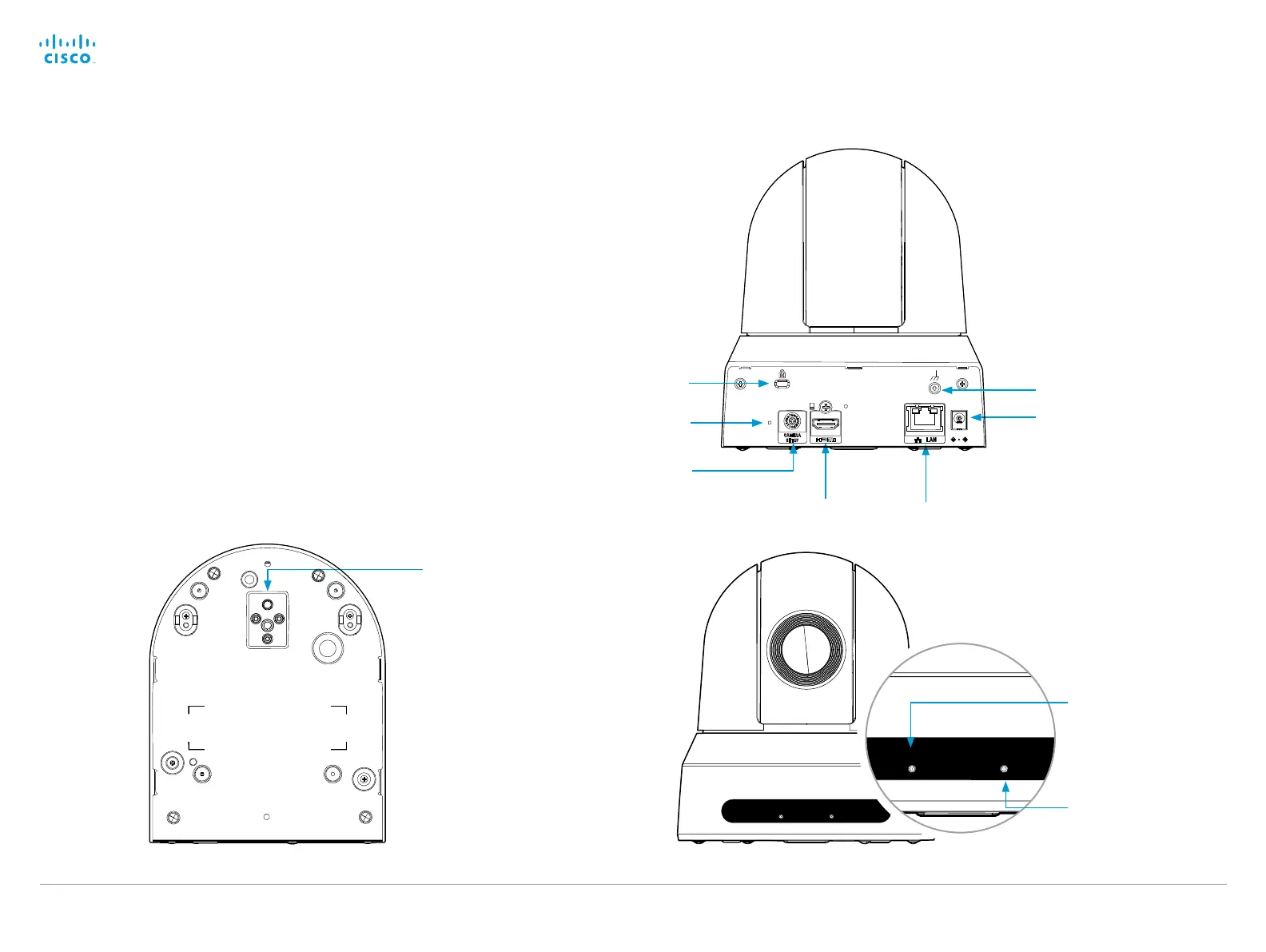
Factory reset
HDMI video
connector
Ethernet
Camera control
Power input
Tripod (for camera
mounting)
The LED is green when the
power is On. The LED is
off when the system is on
standby mode.
The LED is amber
when the camera is on
standby mode.
Bottom view
Earth terminal
System select
(Position: 6)
Kensington lock
Power
Standby


 To Next Page