Front Panel LEDs
• Green—All power supplies are operating
normally.
• Amber, steady—One or more power supplies
are in a degraded operational state.
• Amber, blinking—One or more power supplies
are in a critical fault state.
Power supply status
• Off—The Ethernet link is idle.
• Green—One or more Ethernet LOM ports are
link-active, but there is no activity.
• Green, blinking—One or more Ethernet LOM
ports are link-active, with activity.
Network link activity
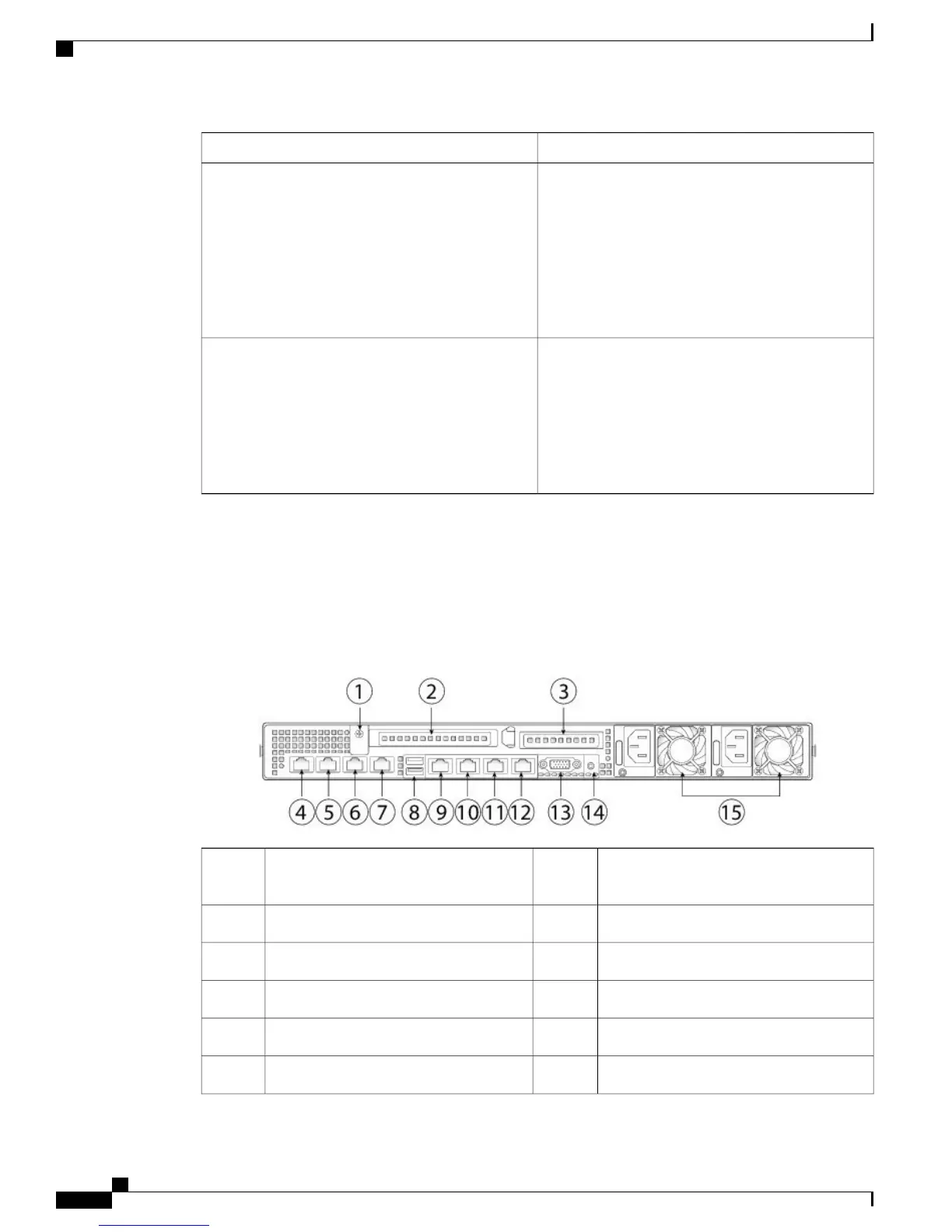
Cisco SNS 3515 or SNS 3595 Appliance Back Panel View
The following figure shows the components of the Cisco SNS-3515 and Cisco 3595 appliance back panel
view.
Figure 2: Back Panel LEDs
1-GbE Ethernet dedicated management port;
used to access CIMC
9Grounding-lug hole (for DC power
supplies)
1
Serial port (RJ-45 connector)10PCIe riser 1/slot 12
1-GbE Ethernet port (Eth 0)11PCIe riser 2/slot 23
1-GbE Ethernet port (Eth 1)121-GbE Ethernet port (Eth 2)4
VGA video port (DB-15)131-GbE Ethernet port (Eth 3)5
Rear unit identification button/LED141-GbE Ethernet port (Eth 4)6
Cisco SNS 3500 Series Appliance Hardware Installation Guide
6
Cisco SNS 3500 Series Appliance Overview
LED Indicators on Cisco SNS 3515 and 3595 Appliances









 To Next Page