Front Panel LEDs
• Green—The server is running in normal
operating condition.
• Green, blinking—The server is performing
system initialization and memory check.
• Amber, steady—The server is in a degraded
operational state. For example:
◦
Power supply redundancy is lost.
◦
CPUs are mismatched.
◦
At least one CPU is faulty.
◦
At least one DIMM is faulty.
◦
At least one drive in a RAID configuration
failed.
• Amber, blinking—The server is in a critical
fault state. For example:
◦
Boot failed.
◦
Fatal CPU and/or bus error is detected.
◦
Server is in an over-temperature condition.
System status
• Green—All fan modules are operating properly.
• Amber, steady—One or more fan modules
breached the critical threshold.
• Amber, blinking—One or more fan modules
breached the non-recoverable threshold.
Fan status
• Green—The server is operating at normal
temperature.
• Amber, steady—One or more temperature
sensors breached the critical threshold.
• Amber, blinking—One or more temperature
sensors breached the non-recoverable threshold.
Temperature status
Cisco SNS 3500 Series Appliance Hardware Installation Guide
5
Cisco SNS 3500 Series Appliance Overview
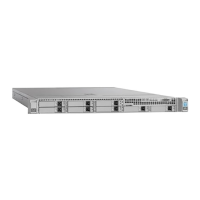
LED Indicators on Cisco SNS 3515 and 3595 Appliances



 To Next Page