SECTION III
MODEL 560 INSTRUMENTATION AND AVIONICS
TOUCH CONTROL STEERING
Touch control steering (TCS) enables the airplane to be maneuvered manually during autopilot
operation without cancellation of any selected flight director modes. To use touch control steering, press
the TCS button, maneuver the airplane and release the TCS button. TCS is operable with all autopilot
modes. During TCS operation the yaw damper will remain engaged.
If the autopilot is engaged in a bank and it is desired to hold the bank, press the TCS button, engage
the autopilot and release the TCS button. The bank will be maintained if it is in excess of six degrees. The
airplane may be rolled level with the turn knob. The memory function holding the autopilot in a bank will be
canceled when the turn knob is moved out of detent.
In the case of speed (SPD) (IAS or MACH annunciated) mode, vertical speed (VS) mode or altitude
hold (ALT) mode, the TCS button may be depressed and the airplane maneuvered to a new reference.
When the TCS button is released, the flight director/autopilot will maintain the new reference.
HEADING MODE (HDG)
The heading mode (HDG - annunciated in green letters in the top right of the EADI) can be used with
the flight director (FD) only, or in conjunction with the autopilot. When the heading (HDG) mode is selected
on the MS-560 Mode Selector, the command bars will come into view and display a steering command that
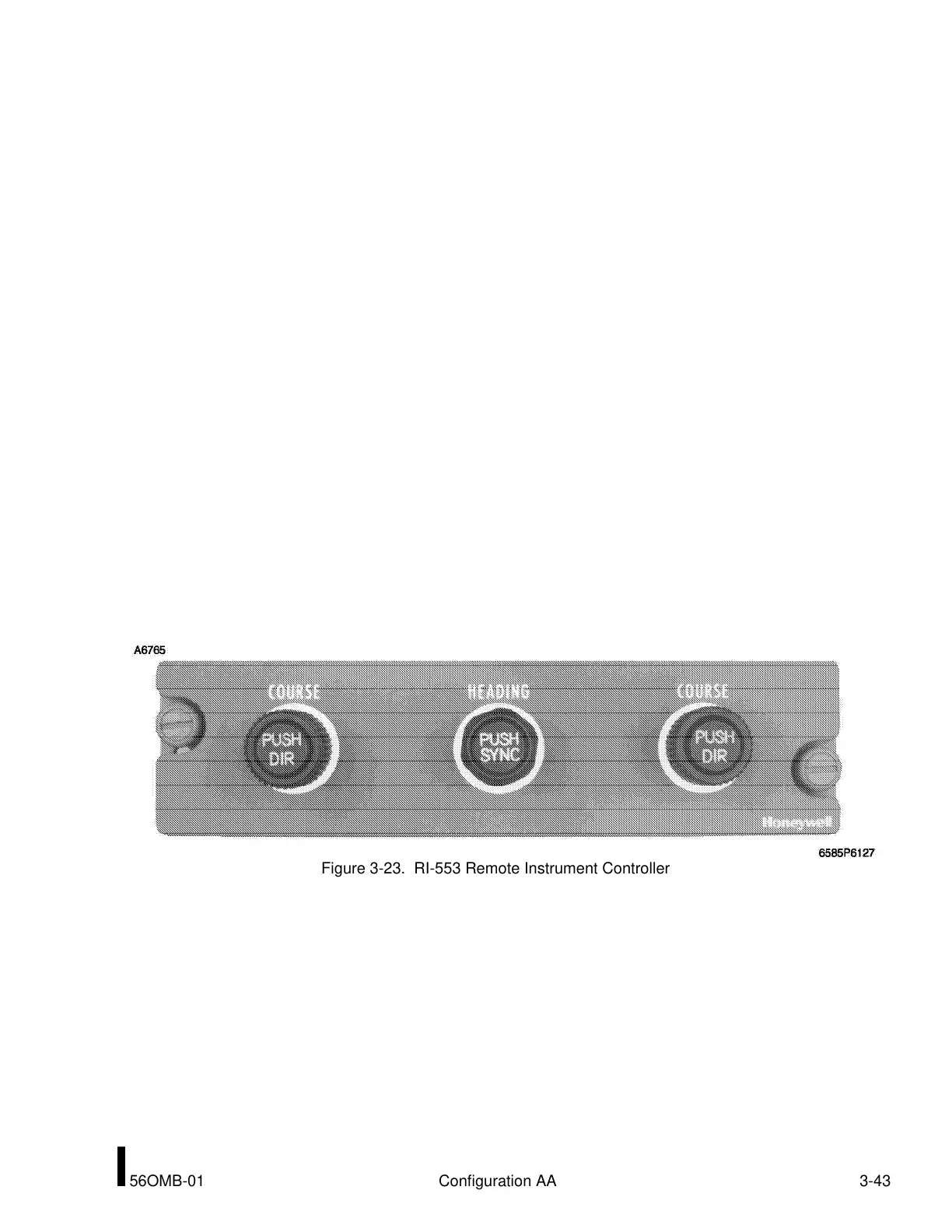
is controlled by the HDG cursor (bug) on the EHSI. The heading bug is set by means of the RI-553
Remote Instrument Controller located on the pilot’s pedestal. Pushing the HEADING knob PUSH SYNC
function synchronizes the heading bug to the present heading (EHSI lubber line). The command bars will
synchronize vertically to the pitch attitude at the time of HDG selection. Heading mode will be engaged
automatically if another lateral mode is selected and the airplane is outside the capture parameters of that
mode. In this case, HDG mode will remain ON until the airplane arrives at a point where capture can occur.
The selected mode will then capture and be annunciated in the mode selector and in green letters at the
top left side of the EHSI, and HDG will cancel. If the autopilot is also engaged, the autopilot will receive
steering commands according to the selected mode(s). NAV and APR modes can be armed with the HDG
mode ON. When intercepting a VOR radial or localizer course with the NAV or APR modes selected, the
system will switch from ARM to CAP when within the capture limits and the armed mode will be captured.
NAV (VOR) AND NAV APR (VAPP) MODES
Two different modes of capture and tracking a VOR signal are used in the Primus 1000 system. One
method is used for normal enroute navigation (VOR) and the other for a VOR approach (VAPP).
For enroute navigation, the desired VOR frequency is selected on a NAV receiver, the course bearing
set on the EHSI, and NAV mode is selected on the MS-560 Flight Director Mode Selector. The small green
light in the mode selector will illuminate, and if the airplane is outside the NAV capture limits, VOR will be
annunciated in white at the top left of the EADI and HDG will be annunciated in green at the top right of the
EADI. As the airplane is maneuvered within the capture limits, HDG will extinguish and VOR will illuminate
in the green at the top left of the EADI. When the mode is transitioning to capture, a white box will be
drawn around the mode for five seconds.
Figure 3-23. RI-553 Remote Instrument Controller
I
56OMB-01 Configuration AA 3-43



 To Next Page