6
INSTALLATION
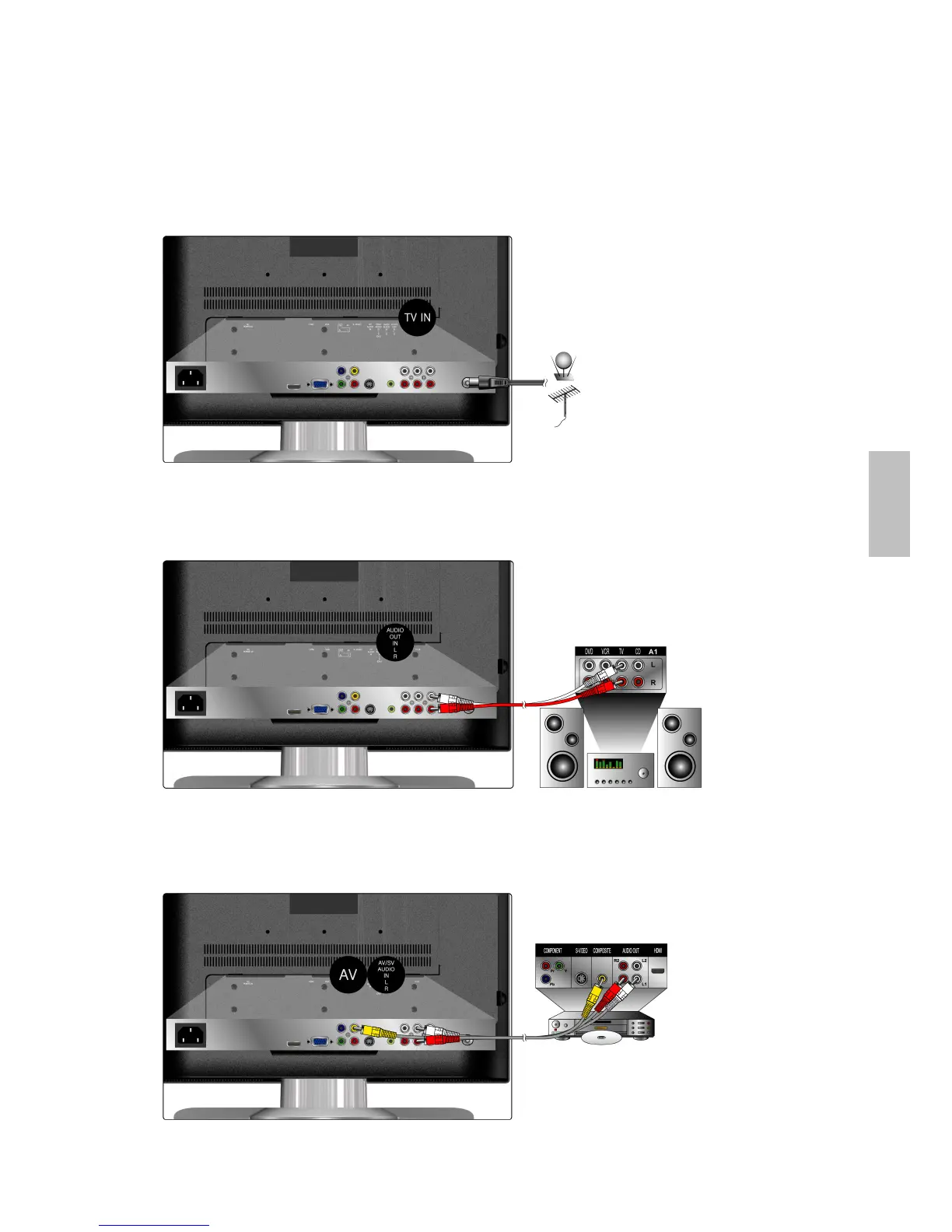
Connecting RF antenna or Cable TV Wire
Make sure the power is OFF before installing your LCD TV. Connect the LCD TV to TV antenna
wire or cable/satellite box with 75-ohm coaxial cable.
Preset the TV channels into memory with AUTO SCAN function (see page 14) when using an
antenna or cable TV system without a cable connecter box.
Connecting to External Stereo System to Listen to LCD TV Sound
Connect the audio output terminal of the LCD TV to the audio in terminal of the stereo system
(stereo system sold separately).
Connecting to DVD/ Set Top Box
Connect Video/ Audio cables from compatible devices into the back panel of LCD TV.
1) With RCA A/V cable:
RF Cable or Adapter
(not supplied)
RCA A/V Cable
VCD or DVD Player
Audio in Cable
(not supplied)
Stereo system
English



 To Next Page