12
Bass: To adjust the bass. (It is only active when sound mode is in “User” condition)
Treble: To adjust the treble. (it is only active when sound mode is in “User” condition)
Balance: To adjust left and right audio balance.
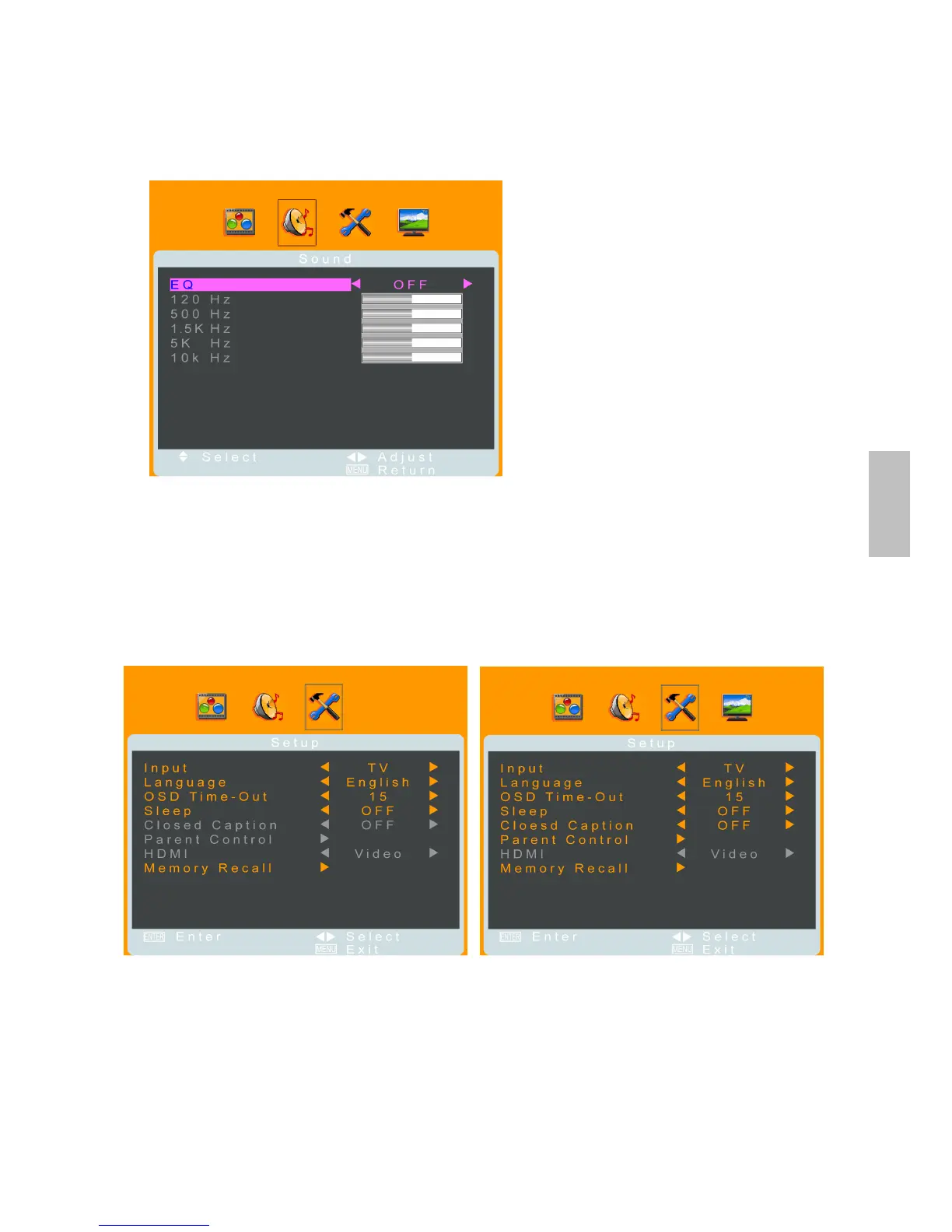
EQ: To adjust the equalizer. Select ON to adjust the levels of different sound frequencies. (it is
only active when sound mode is in “User” condition)
MTS: Press ◄► to select the audio language from Mono, Stereo or SAP. (It is disabled in PC
mode.)
Setup Menu
—OSD and parental control setting
It is active in all input sources.
When input source is PC: When input source is other mode:
(The TV-Channel menu icon appears in TV
source only)
Input: To select the input source between TV, AV, S-Video, YPbPr, PC, and HDMI with ◄►.
Language: To select a OSD language from English, French or Spanish.
OSD Time-Out: To setup the display time of OSD. (OFF, 15, 30, 45, and 60 seconds)
Sleep: Press ◄► to set the off timer. There are several times to choose: 15 min, 30 min, 45
min, 60 min, or OFF.
Closed Caption: Press ◄► to set the close caption mode (CC1~CC4, TEXT1~TEXT4, or
OFF).
Parent Control: To set up V-Chip protection and password. V-Chip is transmitted from TV
station to help parents monitor what their children watch. According to the pre-set of factory,
English



 To Next Page