11
ADVANCED OPERATION—OSD MENU/ REMOTE CONTROL
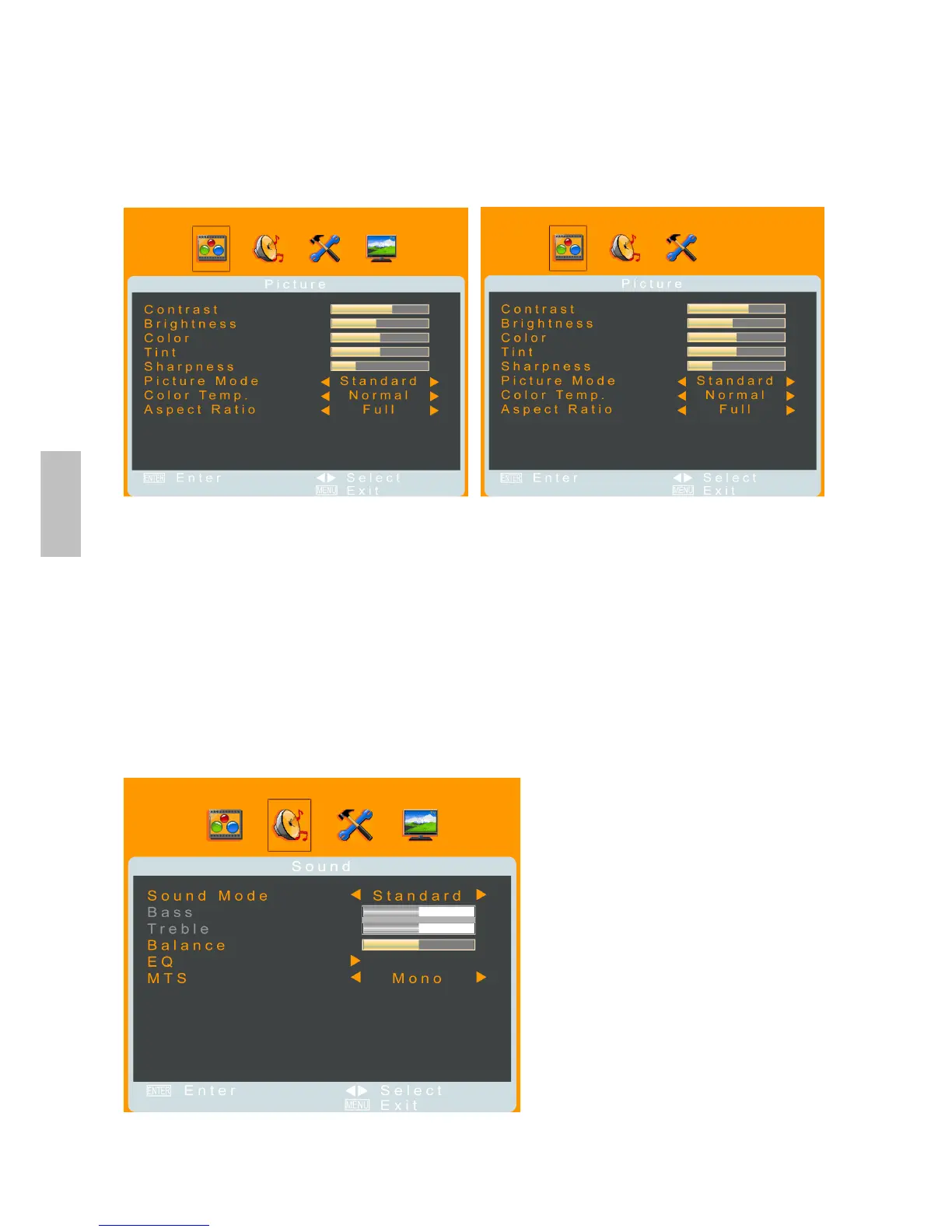
Picture Menu
— Adjusting picture quality and status
It is active in TV/ AV/ S-VIDEO/ YPbPr/ HDMI source.
When input source is TV: When input source is other mode:
Contrast: To adjust contrast of video.
Brightness: To adjust luminance of video.
Color: To adjust color.
Tint: To adjust tint level.
Sharpness: To adjust picture sharpness.
Picture Mode: To select picture mode between User, Standard, Movie, and Vivid.
Color Temp.: To select color Temp. by pressing ◄►—normal neutral, warm redder, or cool
bluer.
Aspect Ratio: To select image size between Full, Zoom1, Zoom2, Normal, and
Panorama.
Sound Menu
—Adjusting sound quality and status
It is active in all input sources.
(When the source is AV/ S-VIDEO/ YPbPr/ HDMI/ PC, the TV-Channel menu icon does not appear)
Sound Mode: To select the sound mode between User, Standard, Movie, and Music.
English



 To Next Page