10
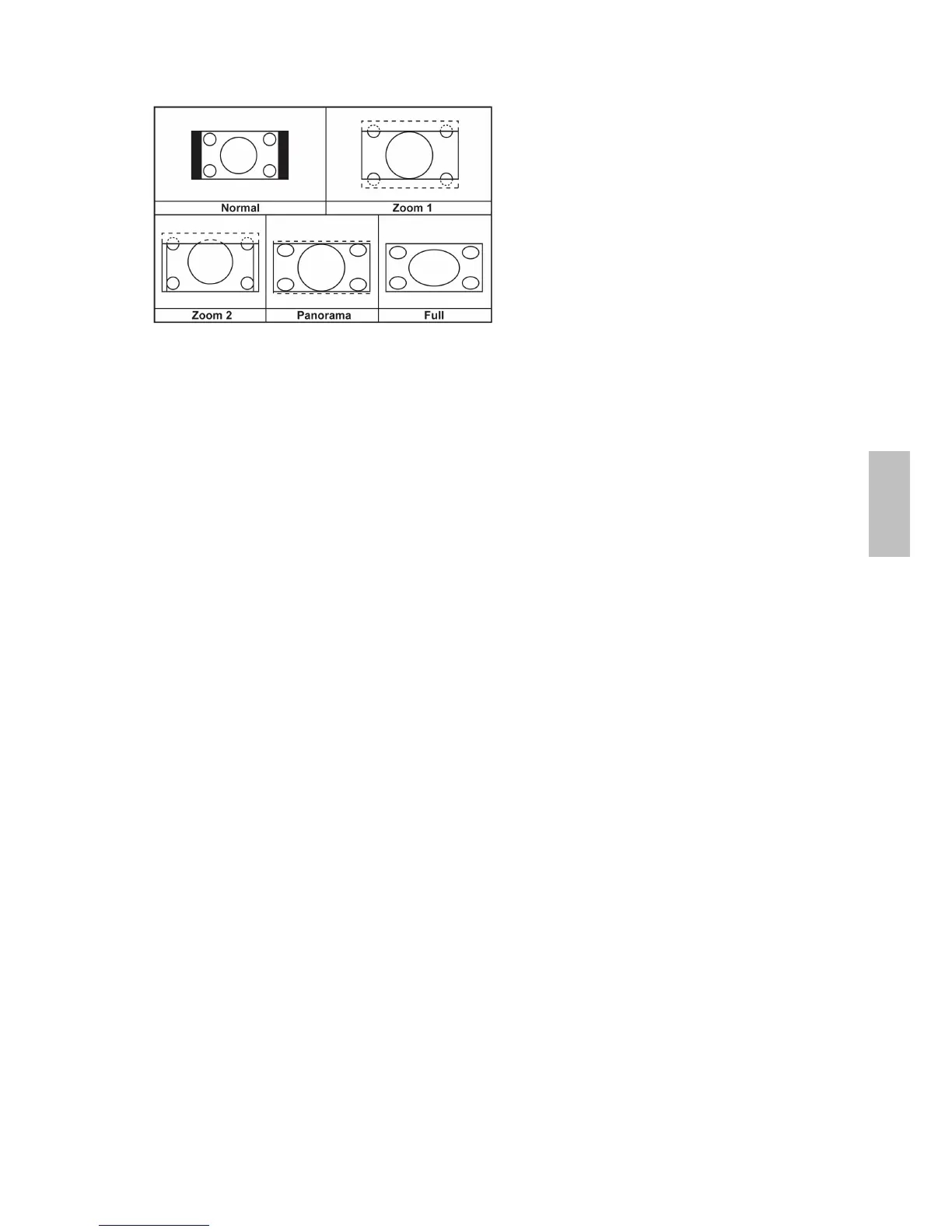
Aspect Ratio Select
Repeatedly press WIDE key to select image size between Full, Zoom1, Zoom2, Normal, or
Panorama.
Freeze Picture
Press FREEZE key to freeze picture. However, the sound still continues.
Using OSD Menu
You are able to use On Screen Display (OSD) menus to adjust various settings by using your
remote control or menu button on the top of the LCD TV.
The basic operation is as following:
Press MENU to display OSD menu.
Press ◄► to select your desired top Menu.
Press ▼ or ENTER to enter the menu you select.
Use ▲▼ to select the control you want to adjust.
Press ◄► to adjust or select the settings.
Press MENU again to exit the current OSD page.
PS. In OSD page, if the item is with an arrow ►, it indicates that there is a sub-OSD page with
it. You have to press ◄ or ► to get into sub-OSD page.
However, if the item is with two arrows ◄(selection)►, it means that user may just press ◄► to
select the selection. There is no sub-OSD page with it.
English



 To Next Page