14
Movie-Rating: To adjust movie blocking level in the US. You can select between NONE, G,
PG, PG-13, R, NC-17, X.
Use ◄► button to select your desired ratings.
G General audience R Restricted
PG Parental guidance suggested NC-17 No one 17 and under limited
PG-13 Parents strongly cautioned X Adult audience only
English-Rating: To adjust blocking level in English-speaking region of Canada. You can
select between E, C, C8+, G, PG, 14+, 18+.
Use ◄► button to select your desired ratings.
E Exempt PG Parental guidance
C Children 14+ Viewers 14 years and older
C8+ Children eight years and older 18+ Adult programming
G General programming, suitable for
all audiences
French-Rating : To adjust blocking level in French-speaking region of Canada. You can
select between E, G, 8 and +, 13 and +, 16 and +, 18 and +.
Use ◄► button to select your desired ratings.
E
Exempt
13 and + Not appropriate for children of less
than 13 years
G General 16 and + Not appropriate for children of less
than 16 years
8 and + Children eight years and older 18 and + Reserved to adults
HDMI: To select HDMI input from PC or Video. This function is active only in HDMI source.
Memory Recall: To restore the factory default settings.
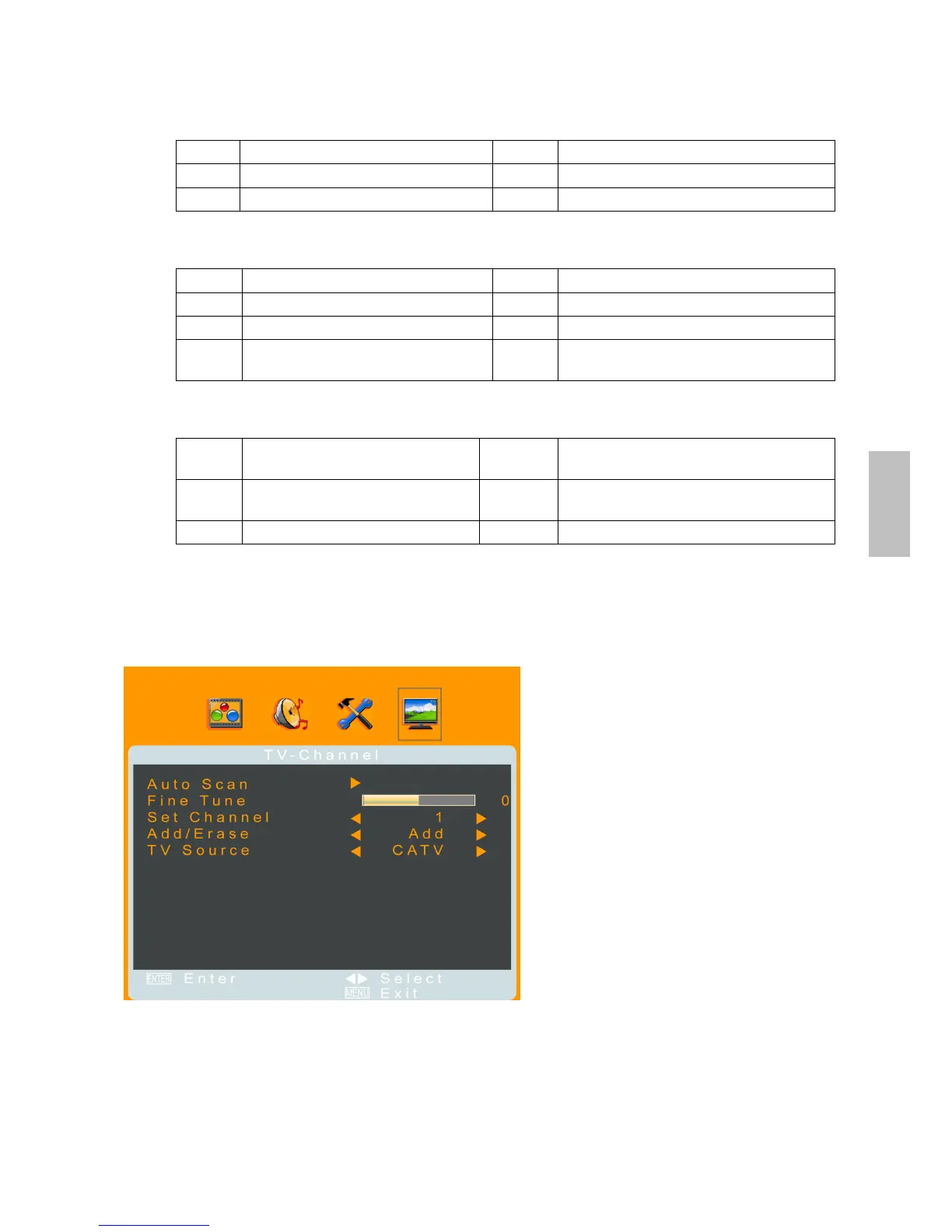
TV-Channel Menu
—Setting up for TV
It is only active in TV source.
Auto Scan: To automatically preset the channels into TVs memory. Kindly suggest you auto
scan all the channels before watching your TV for the first time.
Fine Tune: Use fine-tuning to manually adjust a particular channel for optimal reception.
Set Channel: To select the channel to be added or deleted with ◄►.
Add/Erase: Select Erase to skip the channel appointed, or select Add to restore the channel
appointed.
TV Source: To select CATV or Air as the TV source.
English



 To Next Page