CBM-910 User’s Manual
CITIZEN
33
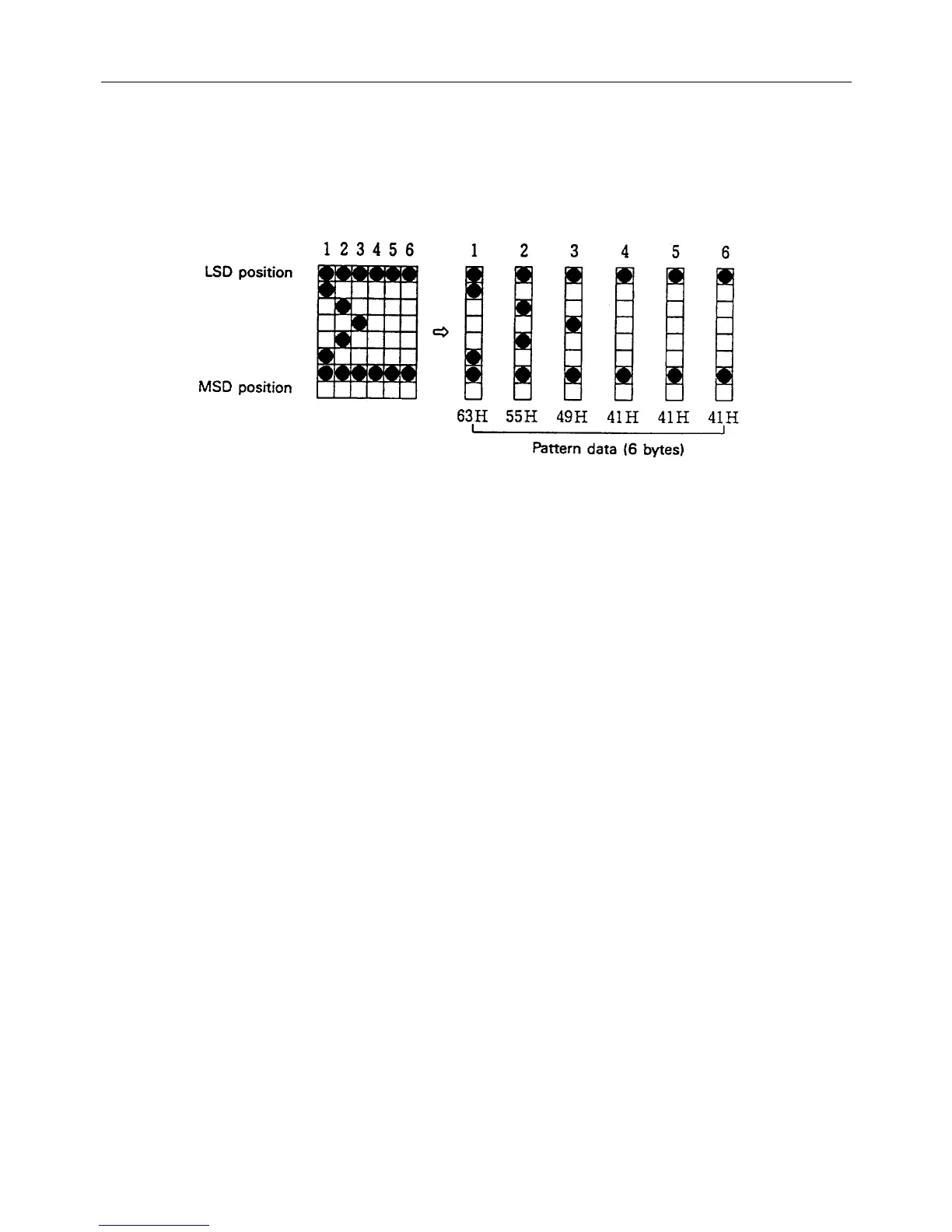
[Pattern Data Configuration](For 24-Column Model)
Pattern data to be registered must consist of 6 bytes per character.
That is, pattern data configured by a 6 × 8 dot matrix is broken up into 6 vertically positioned units each of which is
represented by 1 byte of data. All together, 6 bytes of data are transmitted.
<Example> When transmitting the following data.
[Printing of Registered Letters]
To print registered character, in the same manner as printing other fixed characters, use the commands
(CR, LF, ESC + “B” + n).
2. For 40-Column Model (ESC + “&” + C1 + A1 + A2)
With ESC (1BH) + “&” (26H) + C1 + A1 + A2 code and the pattern data following input, a pattern is registered.
Total 224 characters are available for registration into addresses of 20H ~ FFH.
When two pattern data have registered in the same address, those initially registered are cleared and the new data
alone are made valid.
[Recognition of Use of Uppermost Bit]
For recognition of use or non-use of the uppermost bit by a character to be registered, set data to Parameter C1.
C1=0 (00H) : Uppermost bit not used.
Other than C1=0 : Uppermost bit used.
With 0 set to this parameter while the uppermost bit is in use, ×4 enlargement results in incomplete images for which
the uppermost part is lacking.
[Setting of Addresses]
A1 : Registration starting address (20H~FFH)
A2 : Registration ending address (20H~FFH)


 To Next Page
 Loading...