EasyManua.ls Logo

Citizen CL-S700 - User Manual

Citizen CL-S700
70 pages
Print Icon
To Next Page IconTo Next Page
Loading...
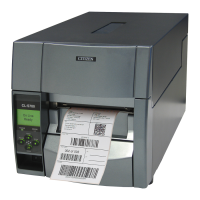
CL-S700
Thermal Transfer Barcode & Label Printer
U
SER'S
M
ANUAL

Other manuals for Citizen CL-S700

Questions and Answers

  • B
    brandonjacobsonJul 25, 2025
    How to fix a Citizen CL-S700 that is not printing neatly?
    • N
      Nancy SanchezJul 26, 2025
      If your Citizen Label Maker is not printing neatly, first ensure that the media and ribbon are correctly set. Adjust the printing density using the menu or control software if it's too high or low. Also, check if the platen is dirty; if so, clean it with ethyl alcohol. If the platen is deformed, it should be replaced.
  • R
    Regina PerezJul 30, 2025
    Why does the printing position change on my Citizen CL-S700 Label Maker?
    • J
      Jason MeyerJul 30, 2025
      If the printing position changes on your Citizen Label Maker, verify that the media and ribbon are correctly set. Clean the platen with ethyl alcohol if it's dirty, and replace it if deformed. Check the software content and communication status set by the host computer, especially if an error message appears. Ensure the menu values are set appropriately via the operating panel or host computer. Adjust the media sensitivity to appropriate values, and if necessary, change the 'Sensor level' in the 'System setup'.
  • R
    rwardAug 3, 2025
    Why is the ribbon slipping in my Citizen CL-S700?
    • G
      Gregory Manning Jr.Aug 3, 2025
      If the ribbon slips and produces dirt in your Citizen Label Maker, adjust the ribbon tension using the adjust-screw.
  • P
    pjonesAug 7, 2025
    How to fix a Citizen CL-S700 when the ribbon does not wind?
    • J
      Jill LynnAug 7, 2025
      If the ribbon does not wind in your Citizen Label Maker, ensure that the ribbon is set in the correct course and that the ribbon winding direction is correct.
  • A
    Abigail BarberAug 12, 2025
    What to do if the LED doesn't light up on my Citizen CL-S700?
    • S
      Sabrina LaraAug 12, 2025
      If the LED on your Citizen Label Maker doesn't light up when connected to power, ensure the power cord is correctly plugged into both the electrical outlet and the printer's power inlet. Check that the outlet is receiving power and that there isn't a power failure. If needed, replace the main fuse in the building's fuse box or reset the main breaker, consulting a qualified serviceman for the replacement. If the power cord is damaged, replace it with one specifically designed for the printer.
  • M
    Mary TorresAug 16, 2025
    Why is the ribbon wrinkled in my Citizen CL-S700?
    • A
      Austin MasonAug 16, 2025
      Wrinkled ribbon on your Citizen Label Maker can often be fixed by adjusting the ribbon tension using the adjust-screw and balancing the ribbon from left to right with the media width adjustment knob. Ensure the printing density isn't too high by adjusting it in the menu or control software. If the issue persists, use the recommended ribbon or equivalent products; if that doesn't work, contact a service representative.
  • H
    hknightAug 20, 2025
    What to do if my Citizen CL-S700 Label Maker feeds paper but doesn't print?
    • S
      Sean PerezAug 20, 2025
      If your Citizen Label Maker feeds paper but doesn't print, check if the thermal printhead is dirty or if a label is stuck to it. Clean any dirt with the head cleaner or carefully remove any stuck label, avoiding metal objects. If adhesive label material is stuck, use a soft cloth soaked in ethyl alcohol. Ensure that you are using the recommended ribbon or one of the same type.

Summary

Compliance, Safety, and Notices

Essential Safety Instructions

Covers general safety, operational precautions, installation safety, and mandatory observances to prevent injury and damage.

Chapter 1: Printer Setup

Connecting Printer to Power and PC

Guides on connecting power, installing drivers, and connecting the printer to a computer via various interfaces.

Chapter 2: Printer Operation

Media Setup and Installation

Covers media size detection, specifications, installation procedures, and initial media positioning.

Chapter 3: Printer Adjustments

Media and Ribbon Adjustments

Details adjusting media thickness, media width, and ribbon tension to optimize print quality and prevent issues.

Chapter 4: Troubleshooting

Troubleshooting Power and Print Issues

Provides checks for power connection, LED status, printing errors, and basic printhead cleaning.

Troubleshooting Print Quality and Ribbon Problems

Addresses issues like untidy printing, position changes, ribbon wrinkles, and slips with corrective actions.

Citizen CL-S700 Specifications

General IconGeneral
Print MethodThermal Transfer / Direct Thermal
Max Print Width4.1 inches
Media SensorsReflective and transmissive
Ribbon Length450 meters
InterfacesSerial (RS-232C)
Print SpeedUp to 10 inches per second
Media Thickness0.0025 to 0.010 inches

Related product manuals