26
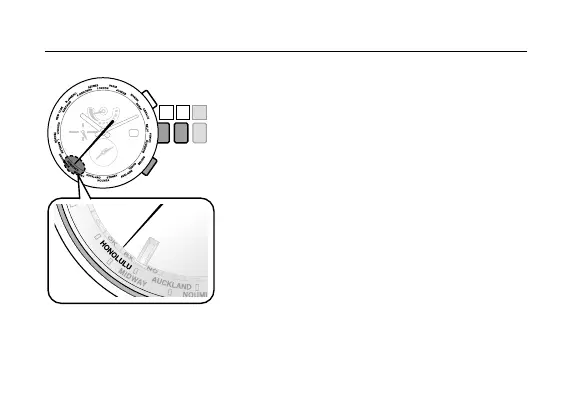
3. Press and release the lower right button
Ⓐ
.
The second hand indicates the current city settings
of the Local time and the function hand indicates
the summer time information.
• ThehometimecityandtheLocaltimecity
switches every time the lower right button
Ⓐ
is
pressed.
4. Rotate the crown to select the city for which
you want to indicate the time and date.
Select the Local time city
5. Push the crown in to position
0
to finish the
setting.
Setting the World Time












 To Next Page